Okta SCIM Property Sync
Last updated: February 6, 2026
This article details the major steps to enable Okta SCIM property syncing to ModernLoop.
1. Tell ModernLoop to accept values from SCIM
Navigate to ModernLoop and log in
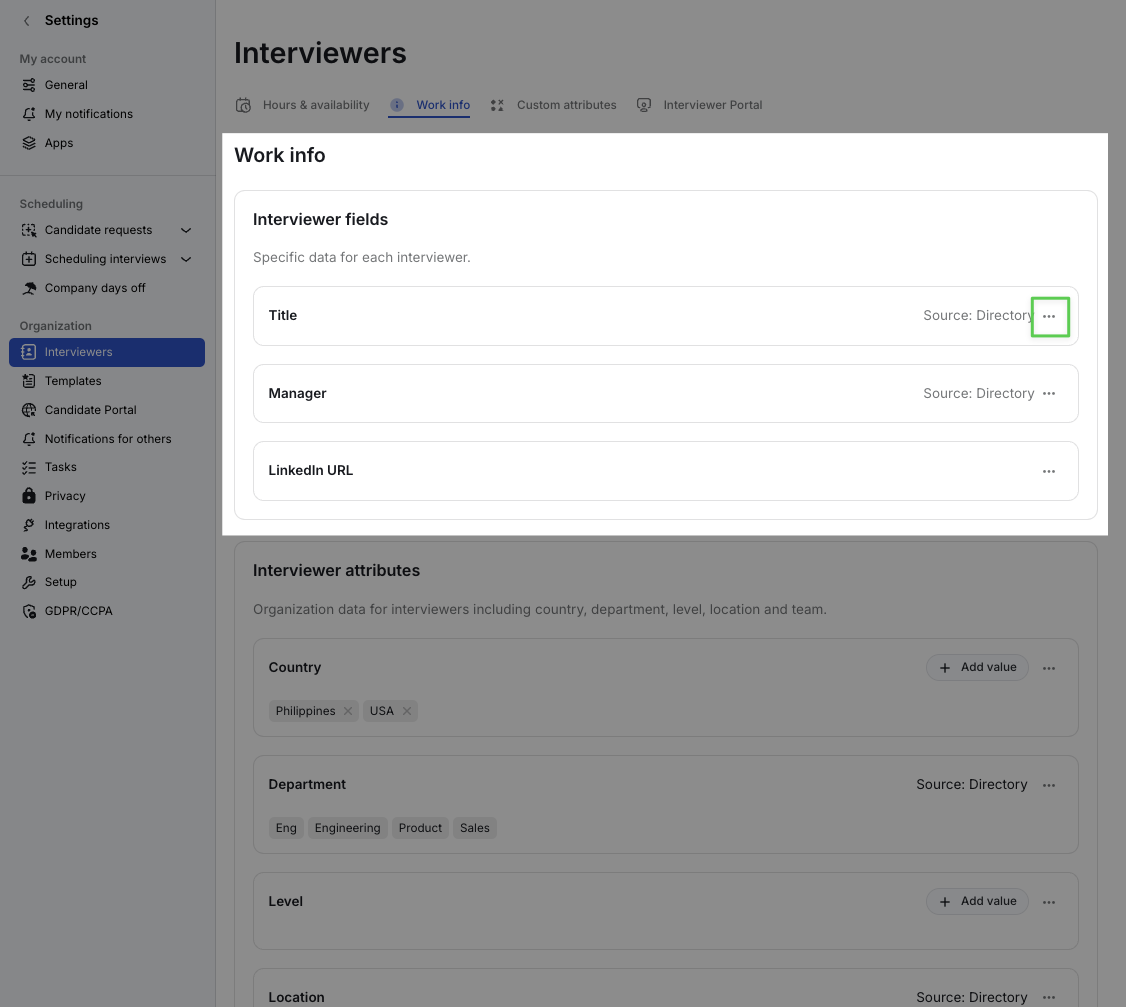
Navigate to Settings → Interviewers → Work Info and change the source for each property your want to sync from Okta
Title
Work Info → Interviewer fields → Title
Set Title property’s Source to SCIM
Manager
Work Info → Interviewer fields → Manager
Set Manager property’s Source to SCIM
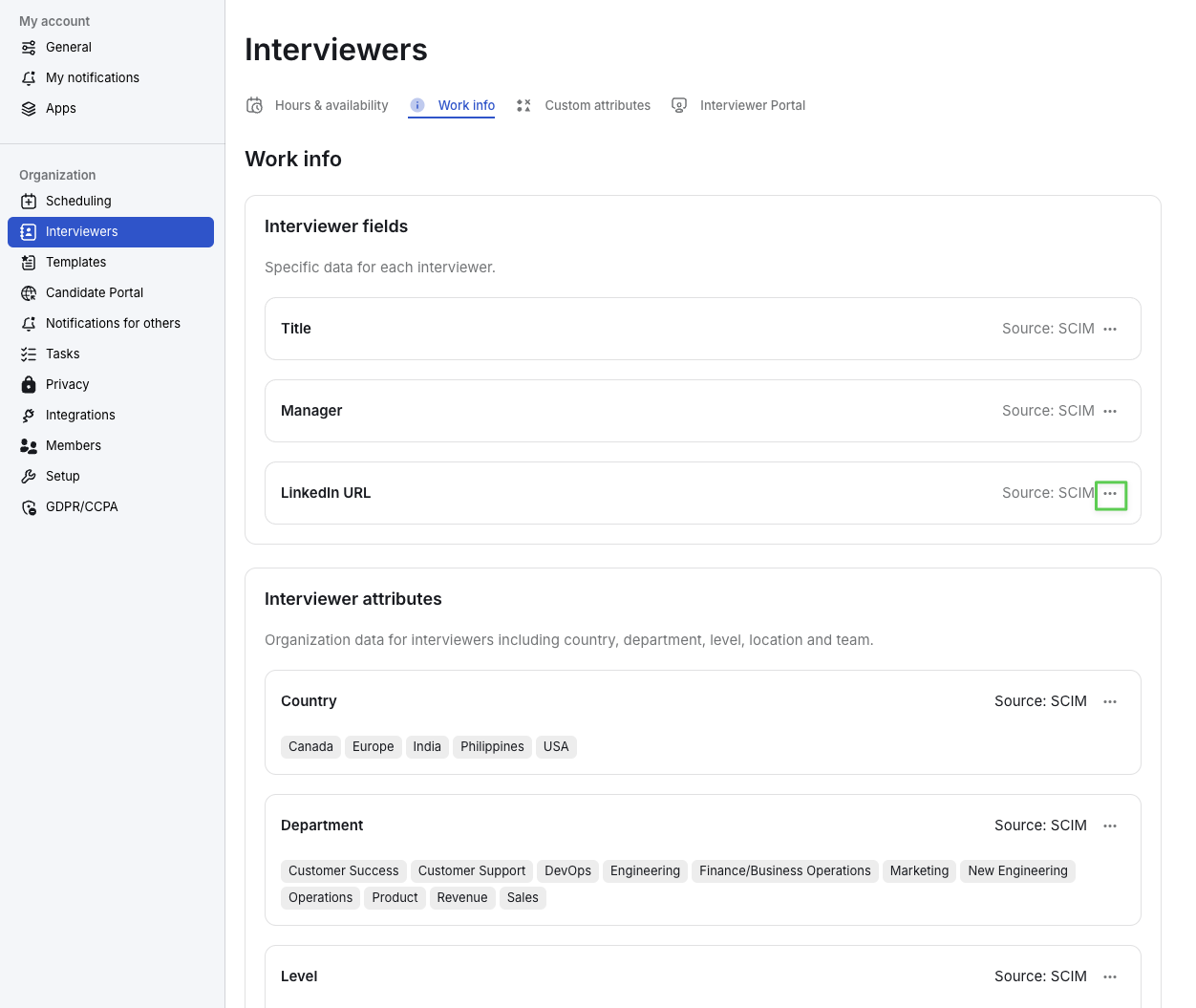
LinkedIn URL
Work Info → Interviewer fields → LinkedIn URL
Set LinkedIn URL property’s Source to SCIM
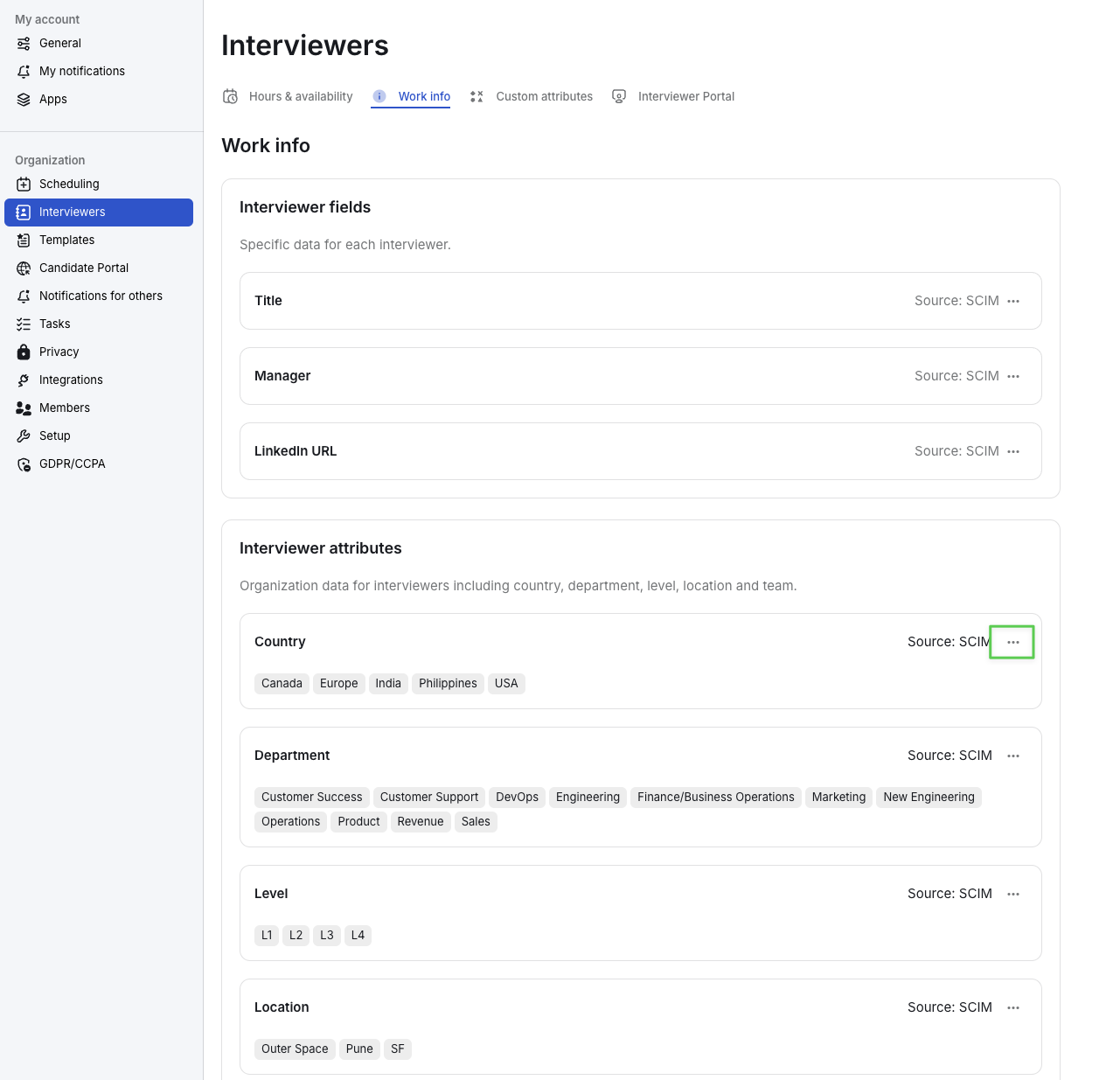
Country
Work Info → Interviewer fields → Country
Set Country property’s Source to SCIM
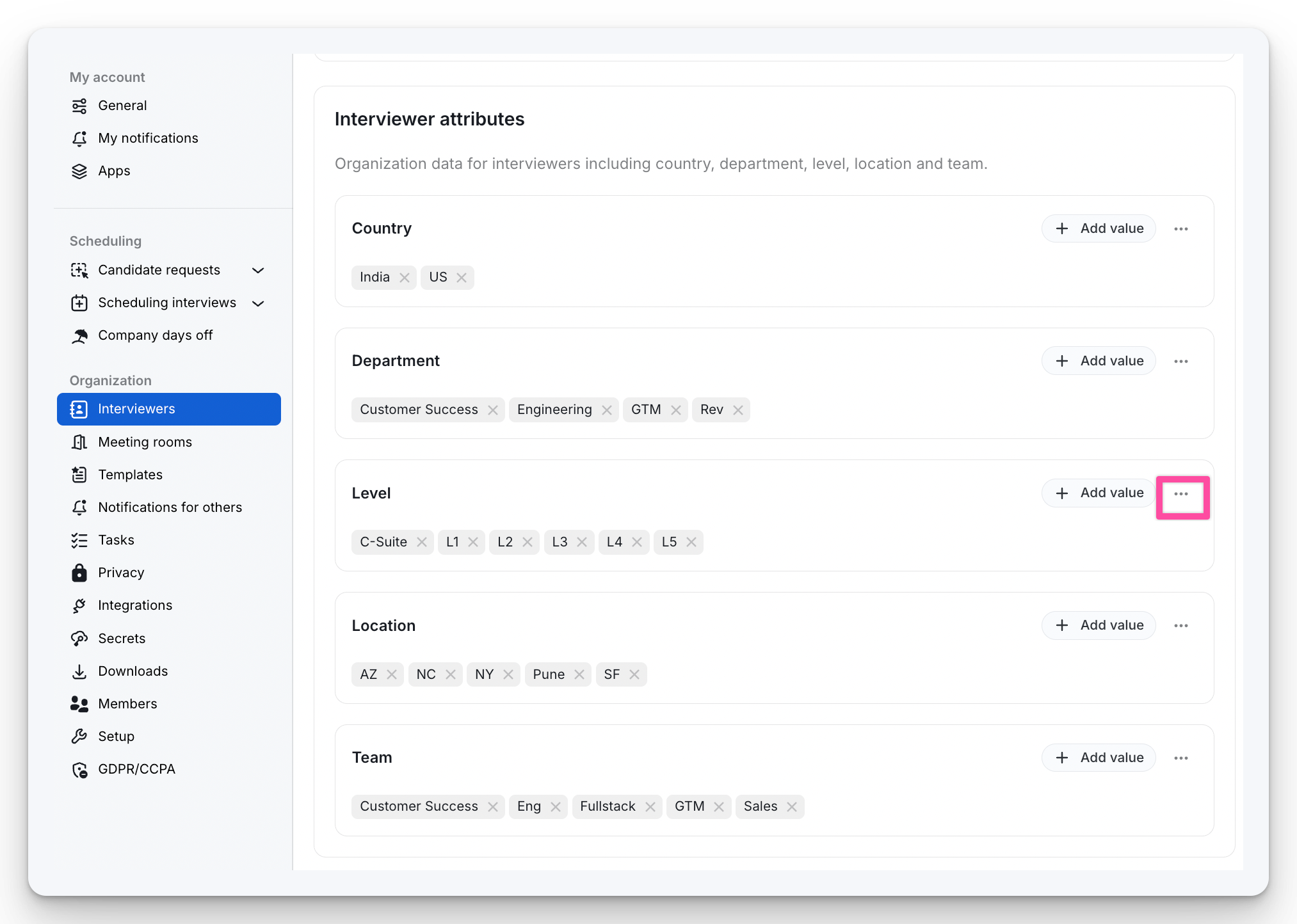
Level
Work Info → Interviewer fields → Level
Set Level property’s Source to SCIM
Department
Work Info → Interviewer fields → Department
Set Department property’s Source to SCIM
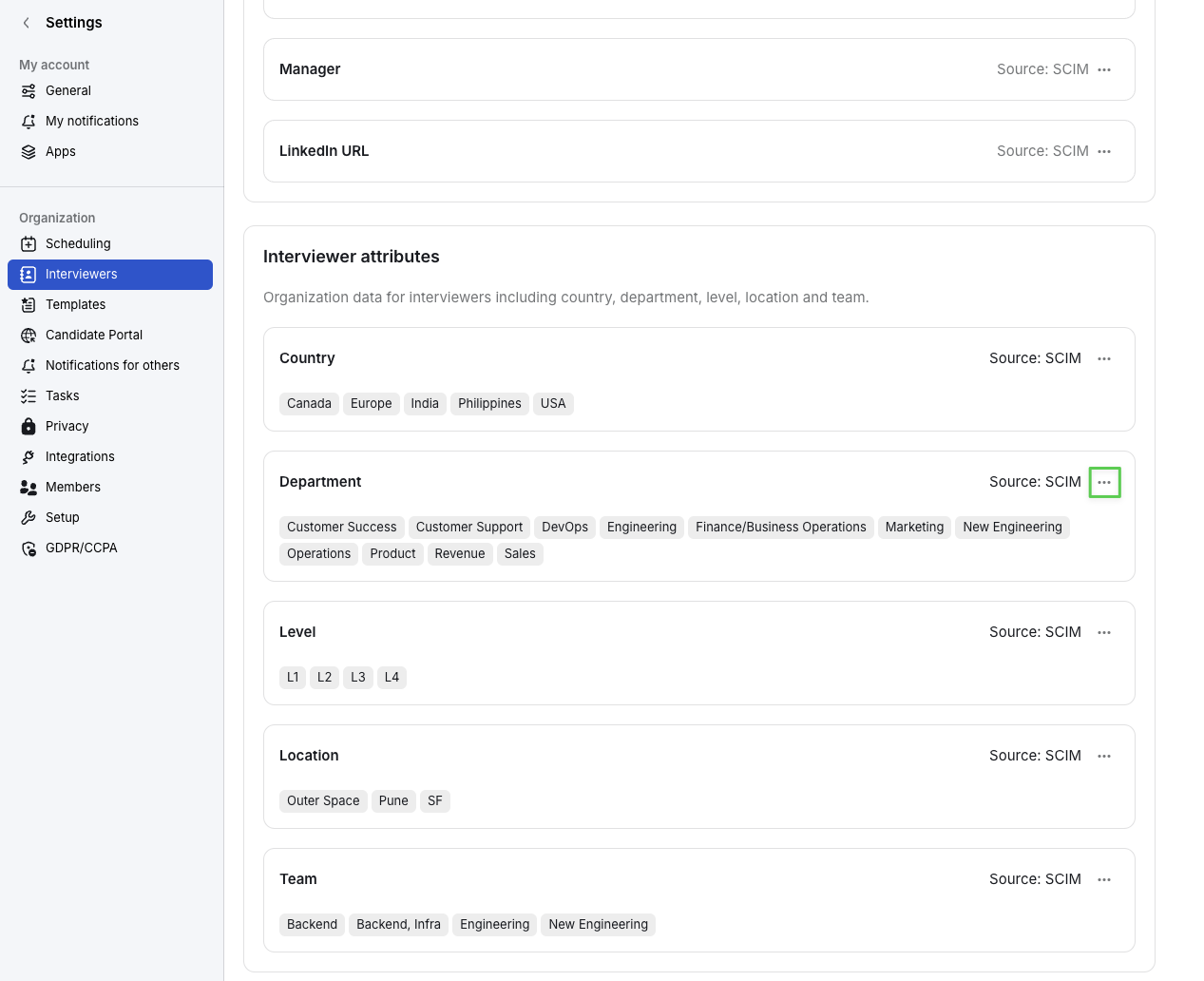
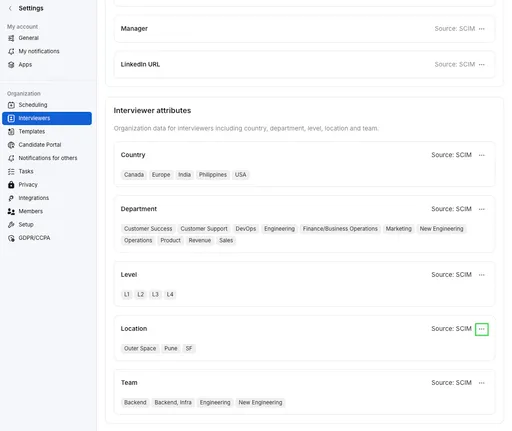
Location
Work Info → Interviewer fields → Location
Set Location property’s Source to SCIM
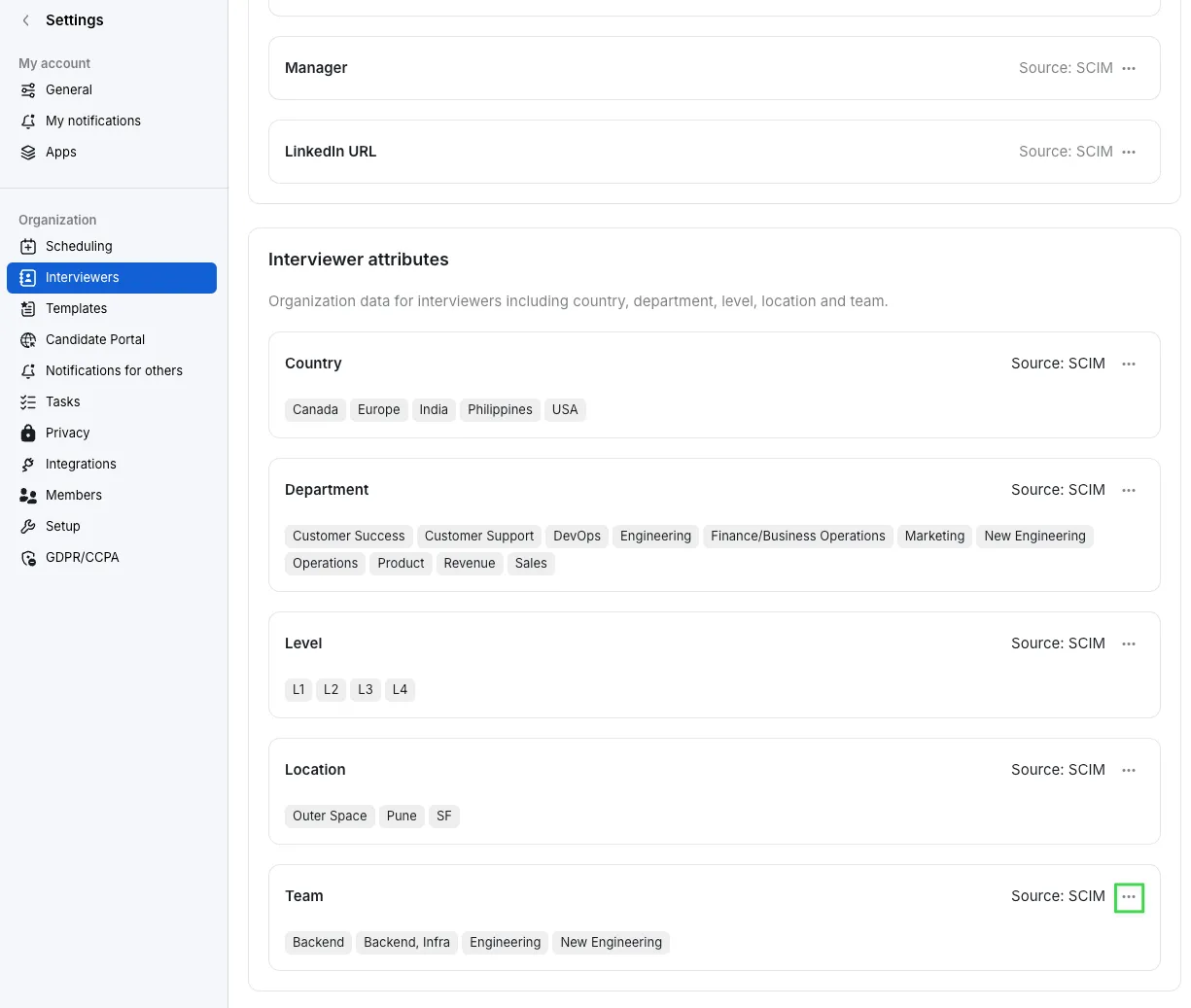
Team
Work Info → Interviewer fields → Location
Set Team property’s Source to SCIM
2. Set up attributes in Okta and assign Mappings
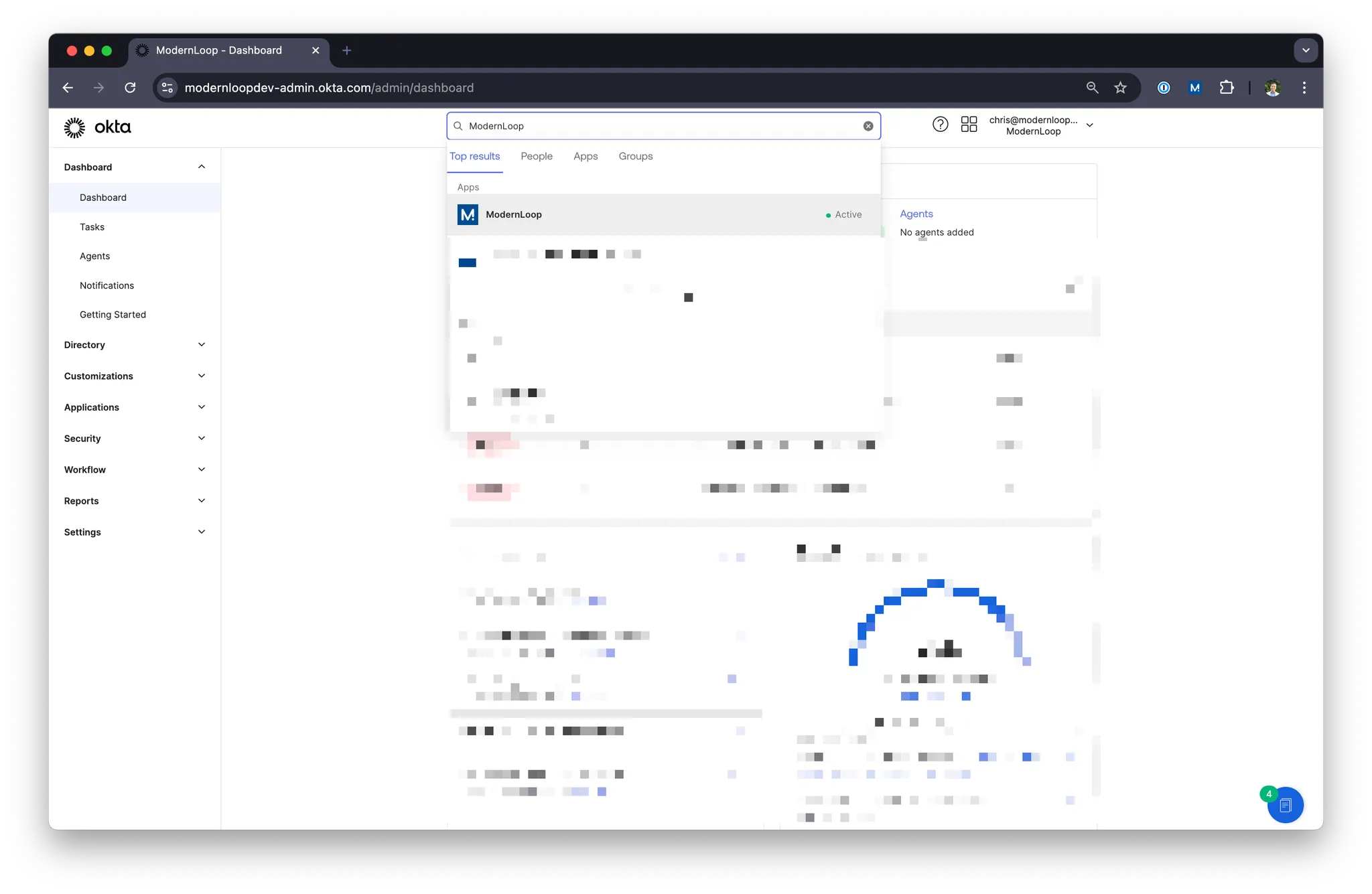
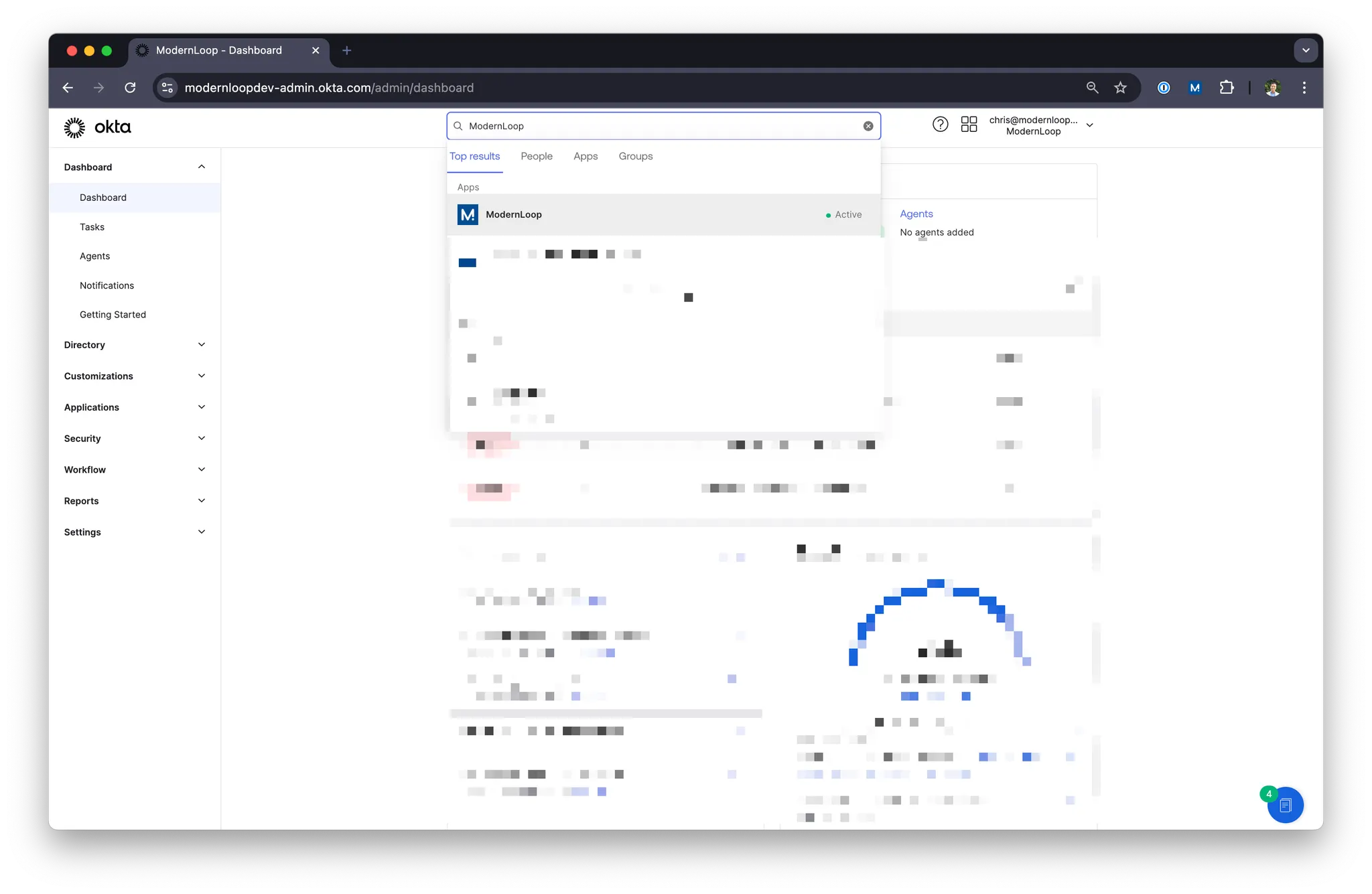
Navigate to your Okta Admin dashboard
Navigate to your ModernLoop Okta App
Click Provisioning
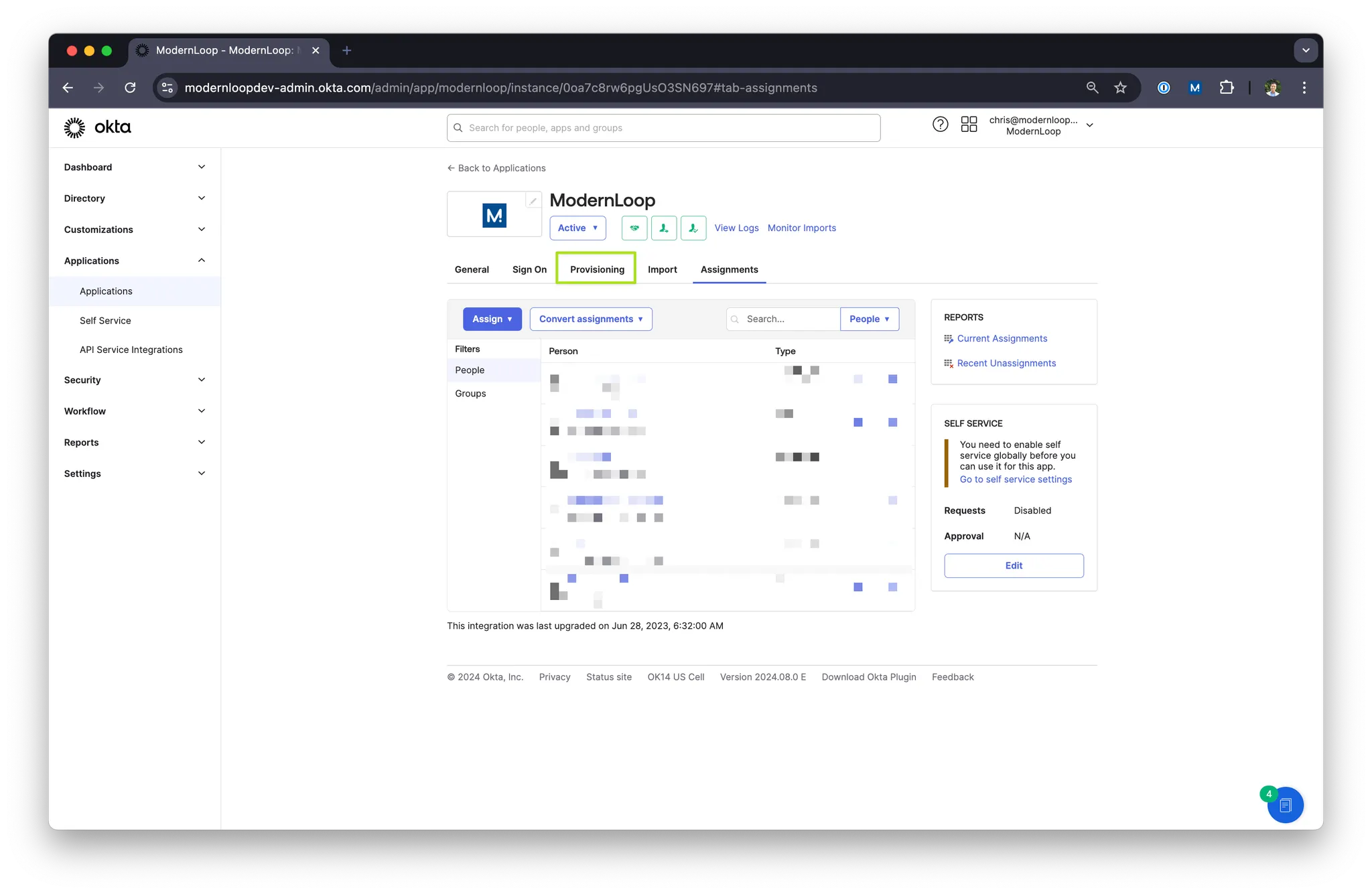
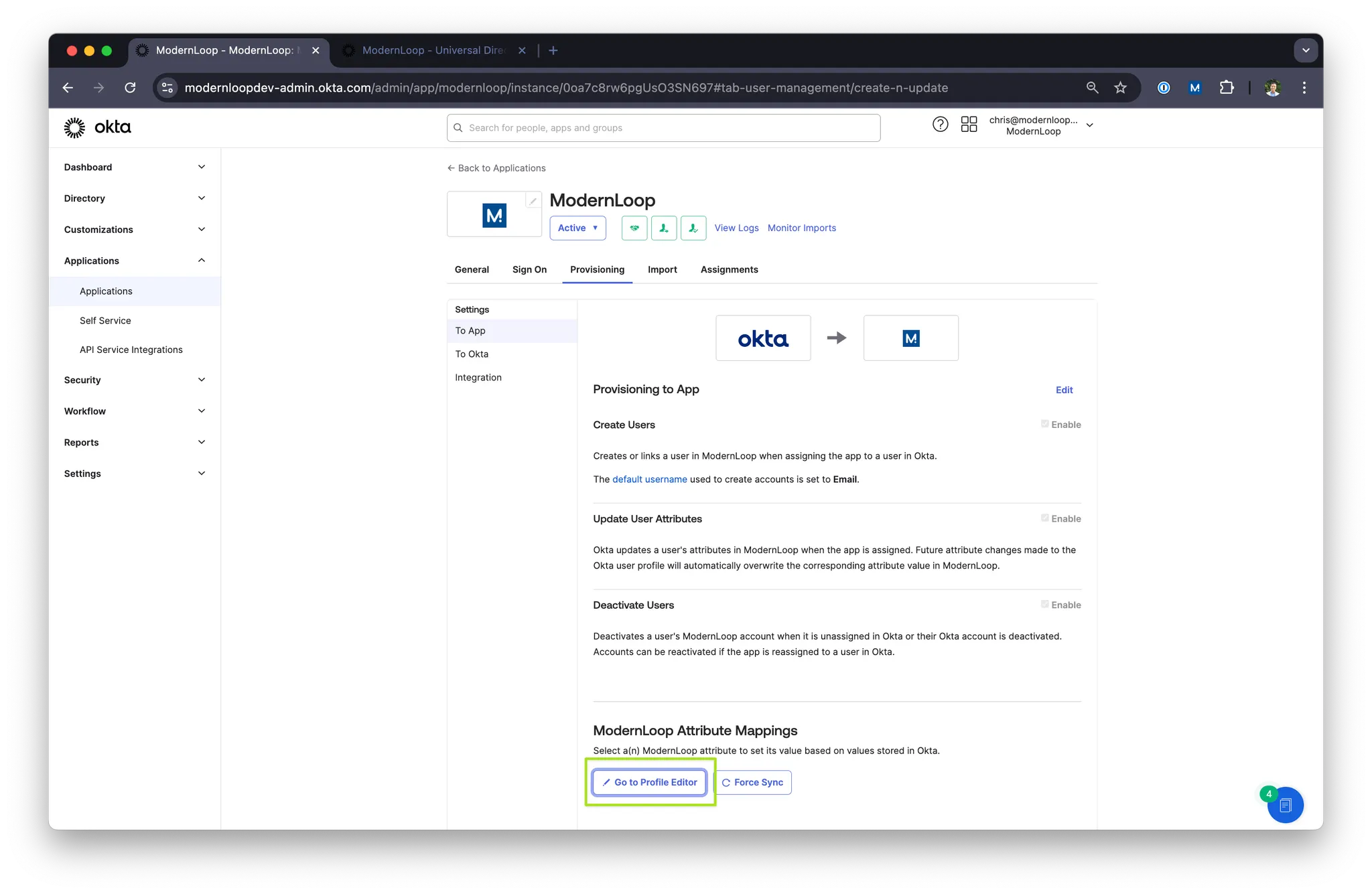
Click Go to Profile Editor
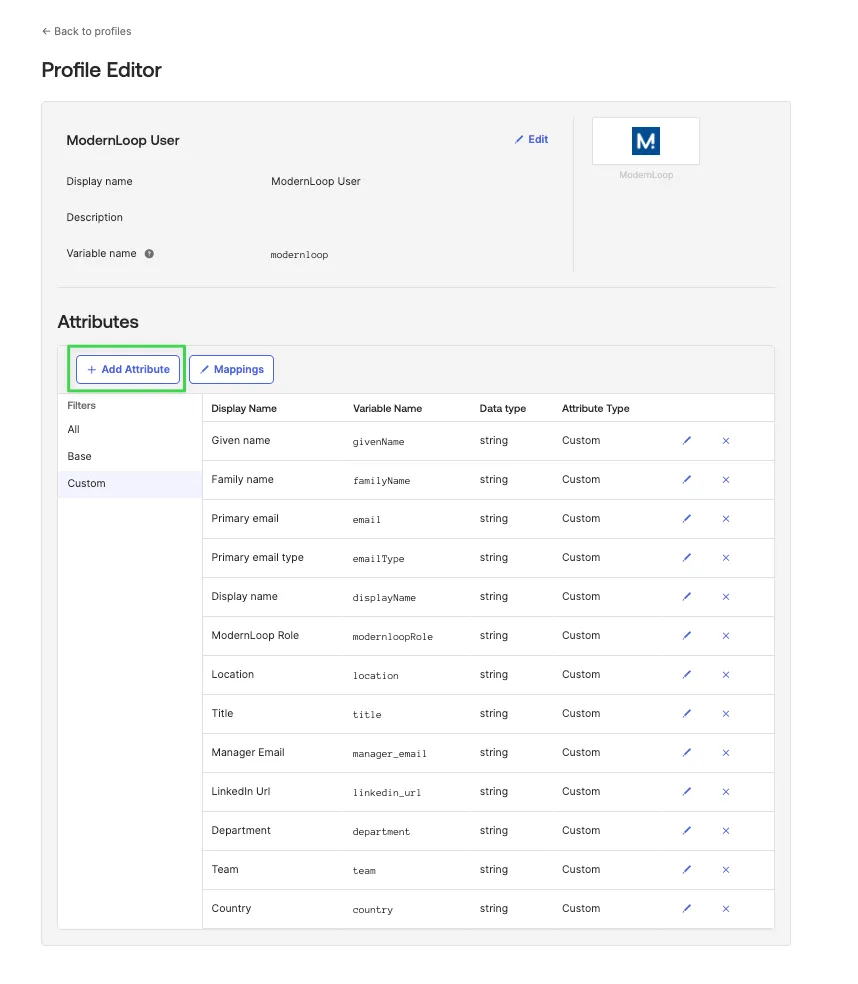
Click “+ Add Attribute” button and fill in the attribute fields as described as “Save” for each attribute you want to send to ModernLoop.
Title
Data type:
stringDisplay name:
Title
Variable name:
title
External name:
title
External namespace:
urn:scim:schemas:extension:modernloop:1.0:Profile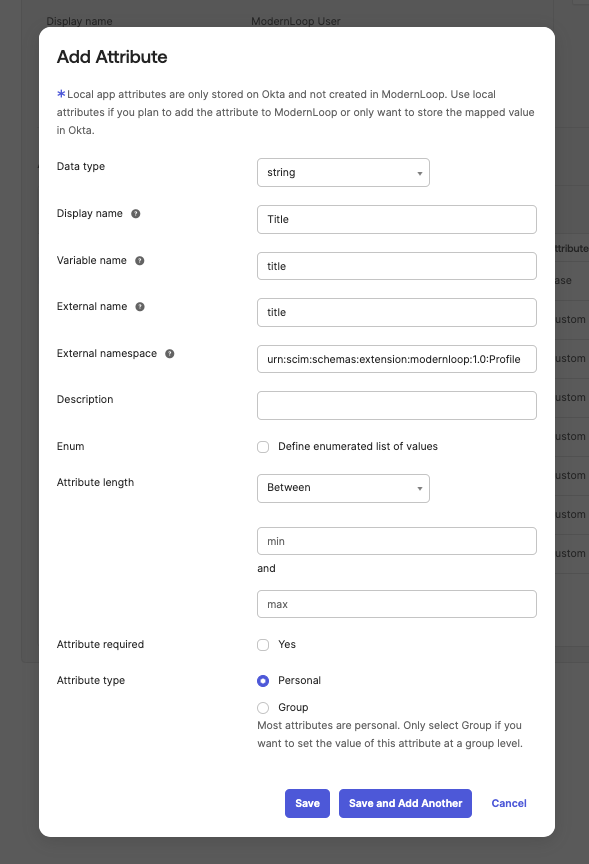
Manager Email
This field must be mapped to an email address
Data type:
stringDisplay name:
Manager Email
Variable name:
manager_email
External name:
manager_email
External namespace:
urn:scim:schemas:extension:modernloop:1.0:Profile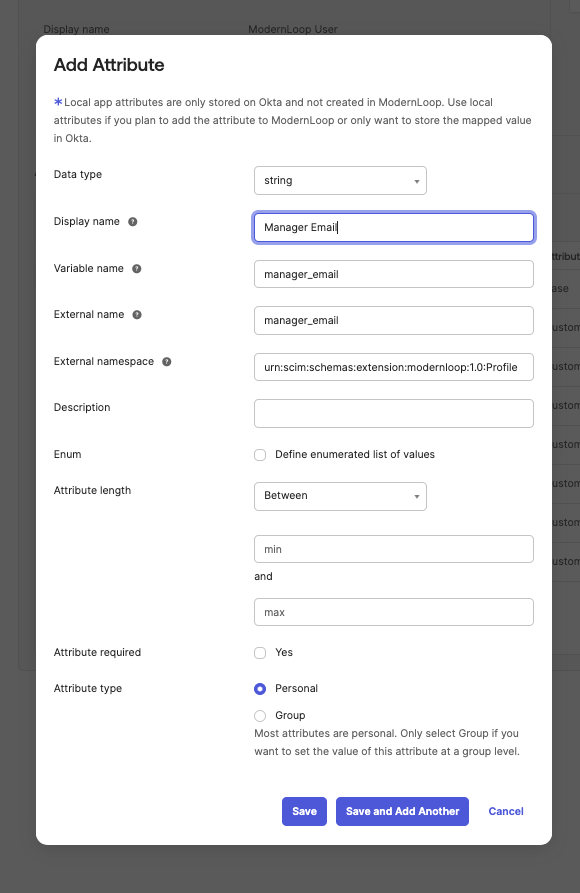
LinkedIn Url
Data type:
stringDisplay name:
LinkedIn Url
Variable name:
linkedin_url
External name:
linkedin_url
External namespace:
urn:scim:schemas:extension:modernloop:1.0:Profile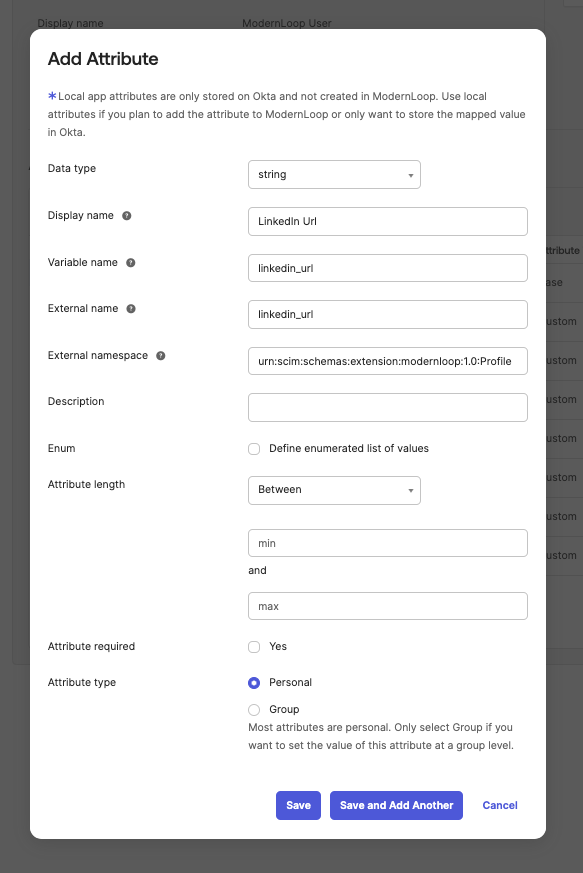
Location
Data type:
stringDisplay name:
Location
Variable name:
location
External name:
location
External namespace:
urn:scim:schemas:extension:modernloop:1.0:Profile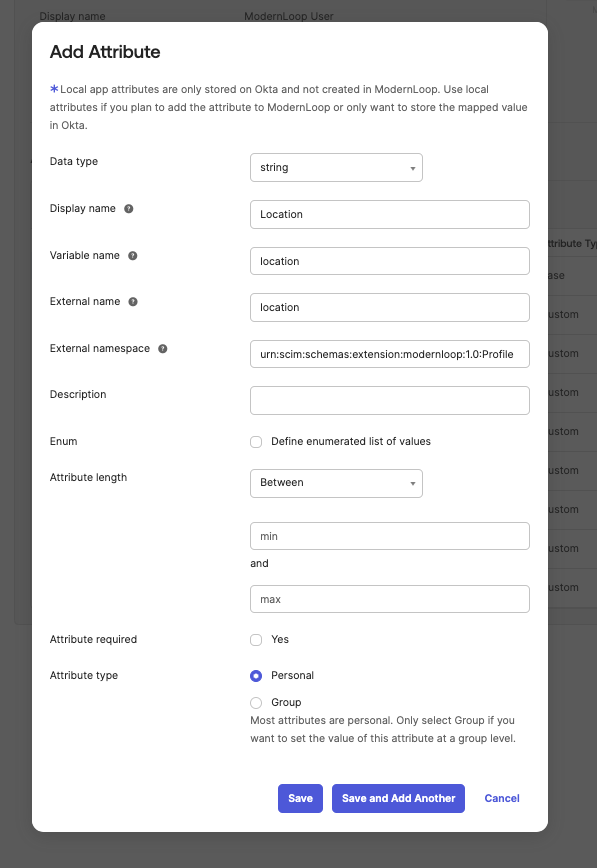
Department
Data type:
stringDisplay name:
Department
Variable name:
department
External name:
department
External namespace:
urn:scim:schemas:extension:modernloop:1.0:Profile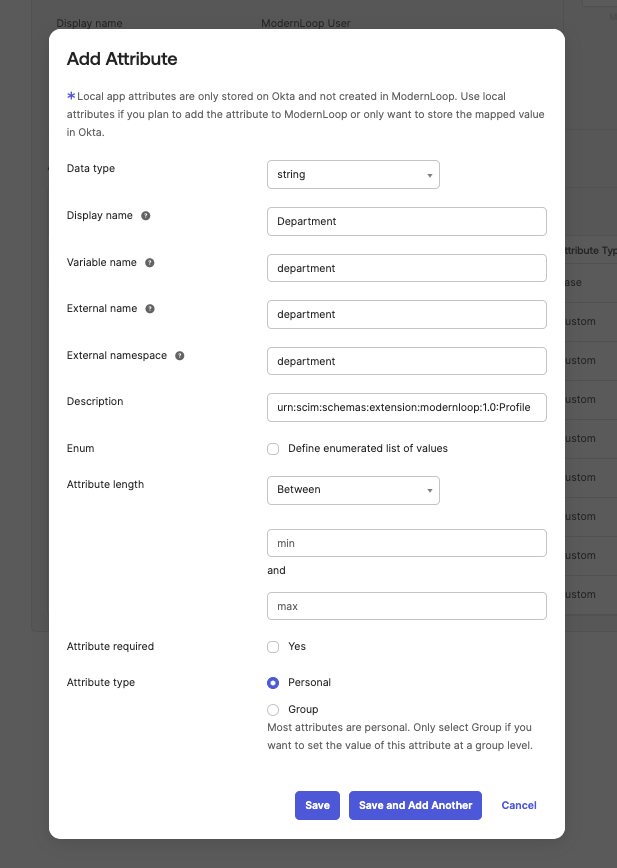
Team
Data type:
stringDisplay name:
Team
Variable name:
team
External name:
team
External namespace:
urn:scim:schemas:extension:modernloop:1.0:Profile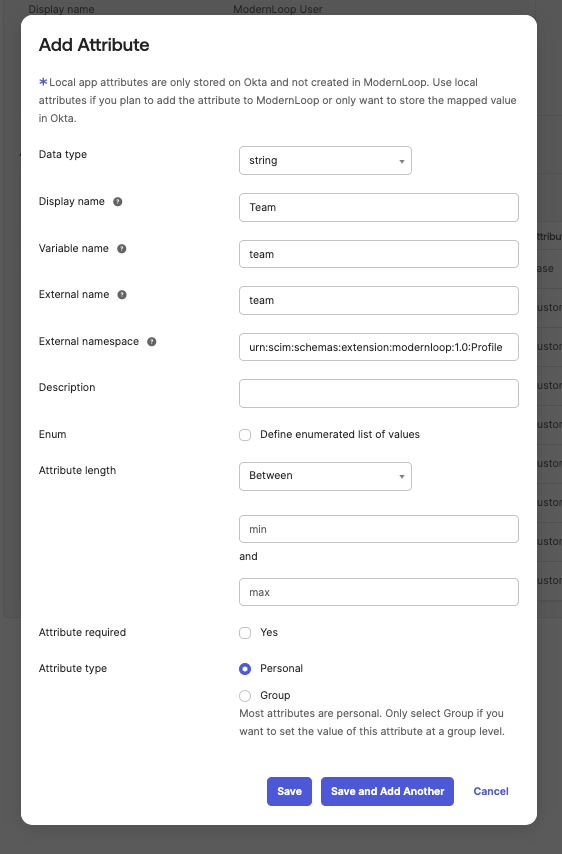
Country
Data type:
stringDisplay name:
Country
Variable name:
country
External name:
country
External namespace:
urn:scim:schemas:extension:modernloop:1.0:Profile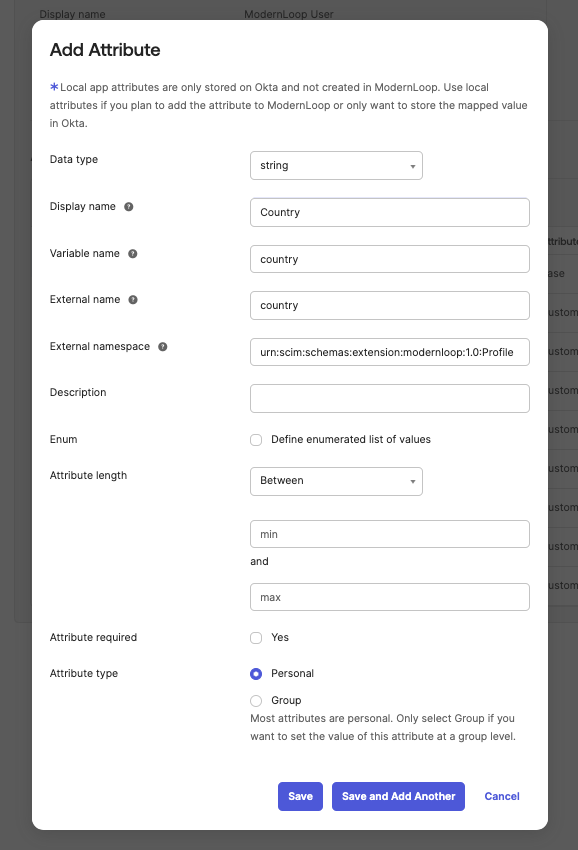
Level
Data type:
stringDisplay name:
Level
Variable name:
level
External name:
level
External namespace:
urn:scim:schemas:extension:modernloop:1.0:Profile
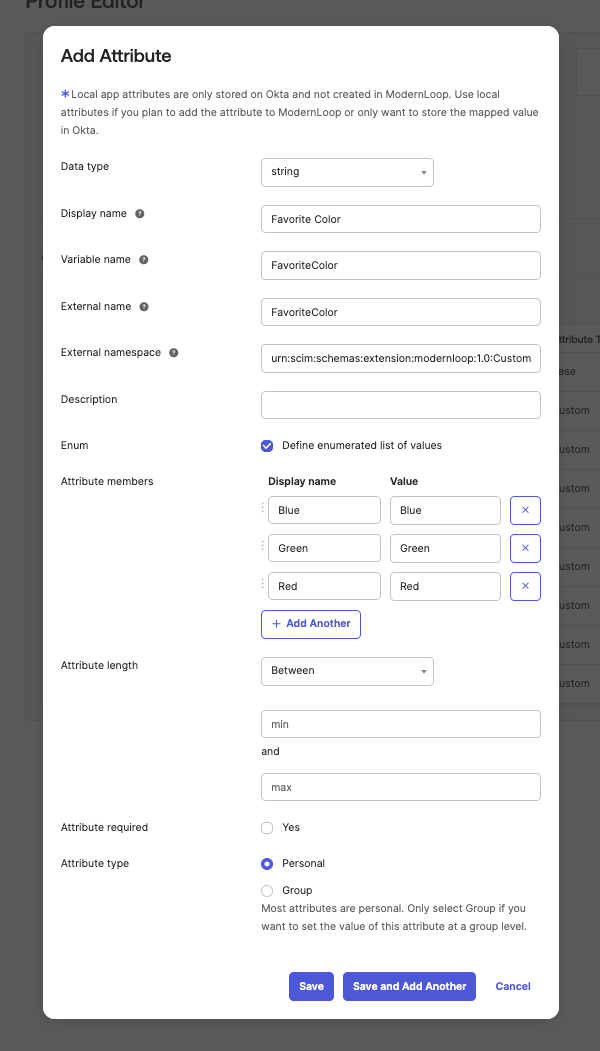
Custom Attribute
Custom Attribute is special! As it allow you to set your own attributes! The External namespace is different than the other
Data type:
stringDisplay name: Up to you! This will be displayed in Okta.
Variable name: Up to you!
External name: Up to you! This will be displayed in ModernLoop.
External namespace:
urn:scim:schemas:extension:modernloop:1.0:CustomAttribute
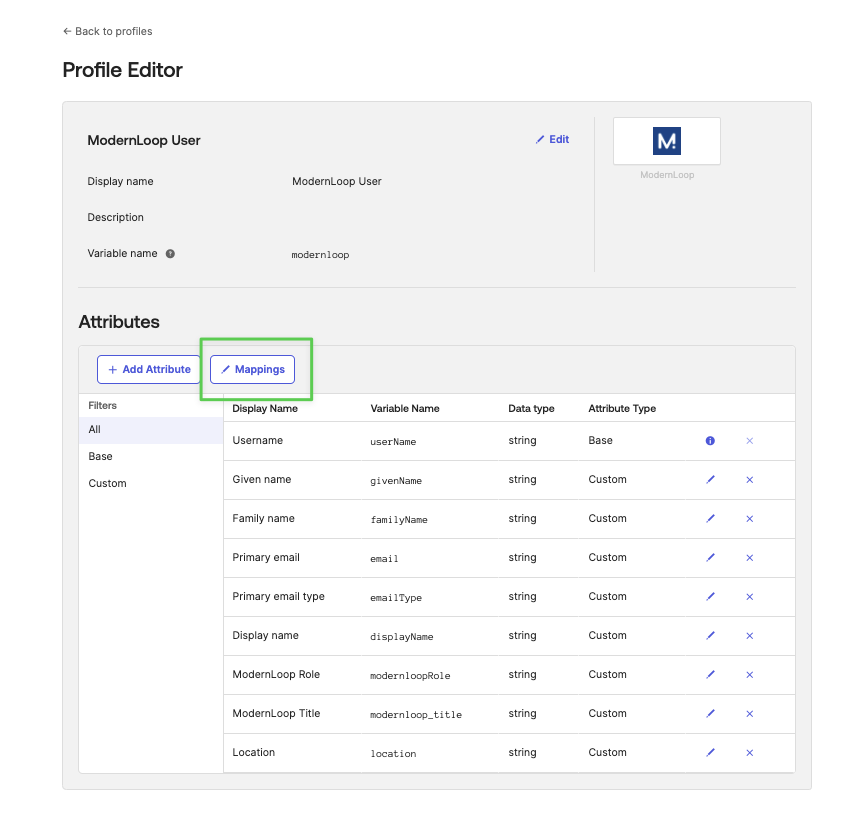
In Profile Editor, click Mappings
Click Okta User to ModernLoop
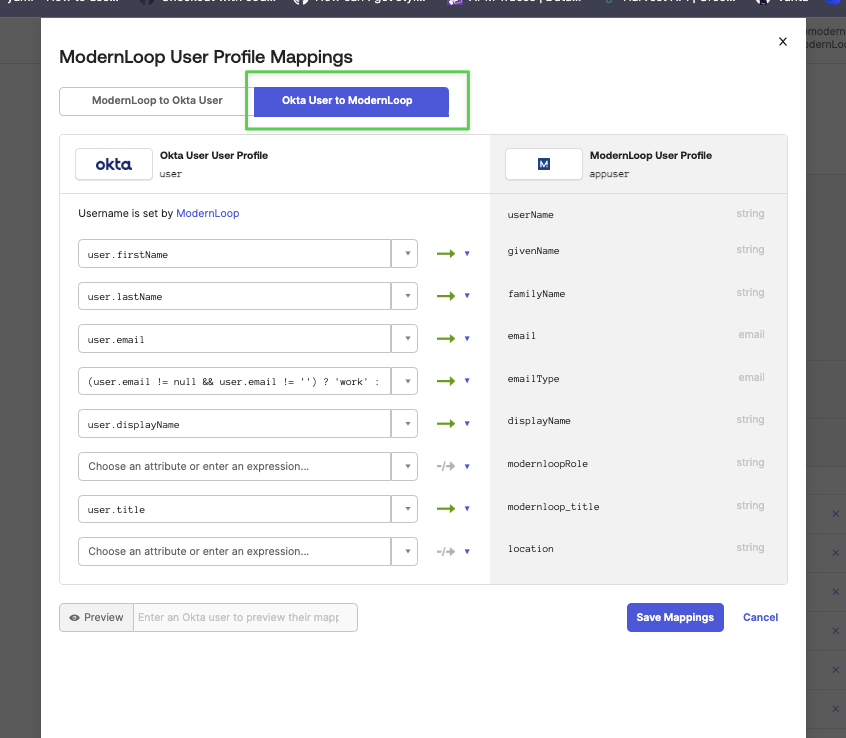
Setup your Mappings from your Okta user profiles
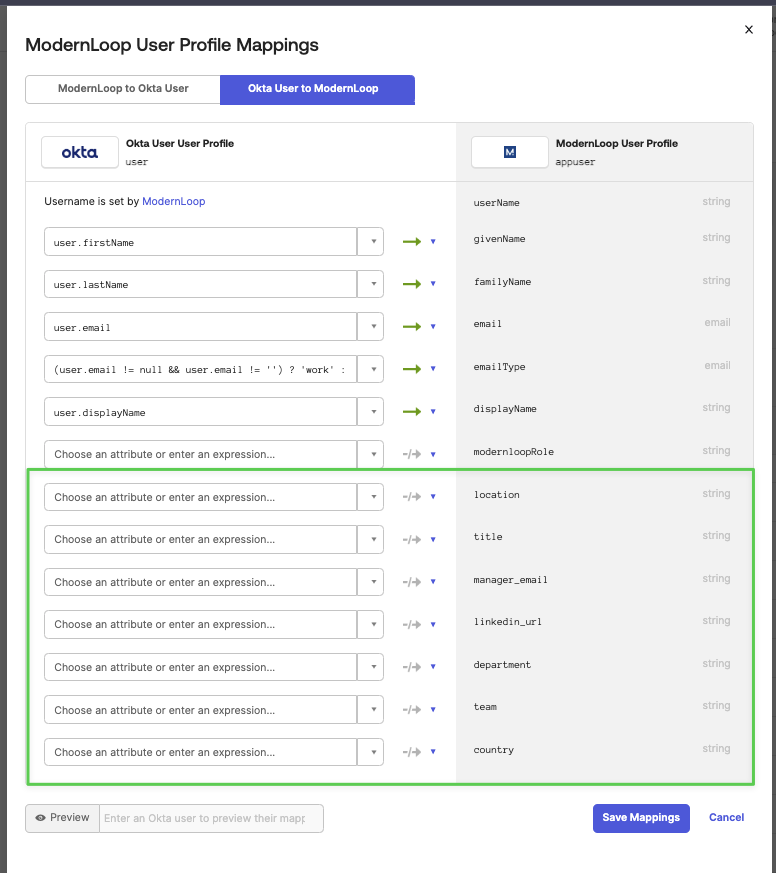
Click Save Mappings
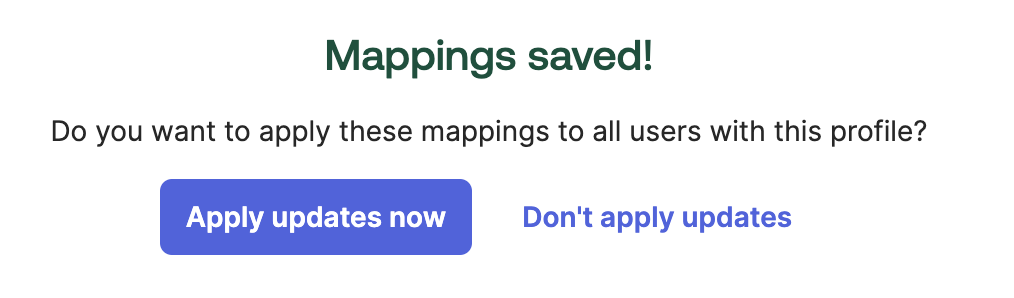
Click Apply updates now, to have Okta send the updates to ModernLoop
3. De-provision and re-provision your users to have properties sync over
If Apply updates now did not pull over all attributes please de-provision and re-provision your users.
[Optional] On the Provisioning tab of the ModernLoop application settings in Okta, disable the Deactivate Users option to avoid deactivating users on the application side.
Remove User or Group Assignments
Add User or Group Assignments
[If you did Step 2] On the Provisioning tab of the ModernLoop application settings in Okta, enable the Deactivate Users option to avoid deactivating users on the application side.