Okta Single Sign-on (SAML)
Last updated: February 5, 2026
Okta is a Single Sign-On (SSO) user authentication tool that allows users to securely access multiple applications and services with a single set of credentials. If your company has added Okta to its ModernLoop plan, you can manage login access and maintain consistent security across your organization through Okta.
This article outlines the prerequisites, supported features, and steps to enable SAML SSO with ModernLoop's Okta integration.
Pricing
Single sign-on (including Okta) is an optional, paid add-on service. If you are not currently using Okta with ModernLoop but would like to explore it further, contact your Account Executive or Customer Success Manager for more information.
Supported Feature: SAML
The Okta/ModernLoop SAML integration provides the following functionalities:
Service Provider (SP)-initiated Single Sign-On (SSO)
Just In Time (JIT) Provisioning
Identity Provider (IdP)-initiated SSO
Steps to Enable SAML
Your Customer Success Manager (CSM) will email you your Customer ID and a list of existing ModernLoop users.
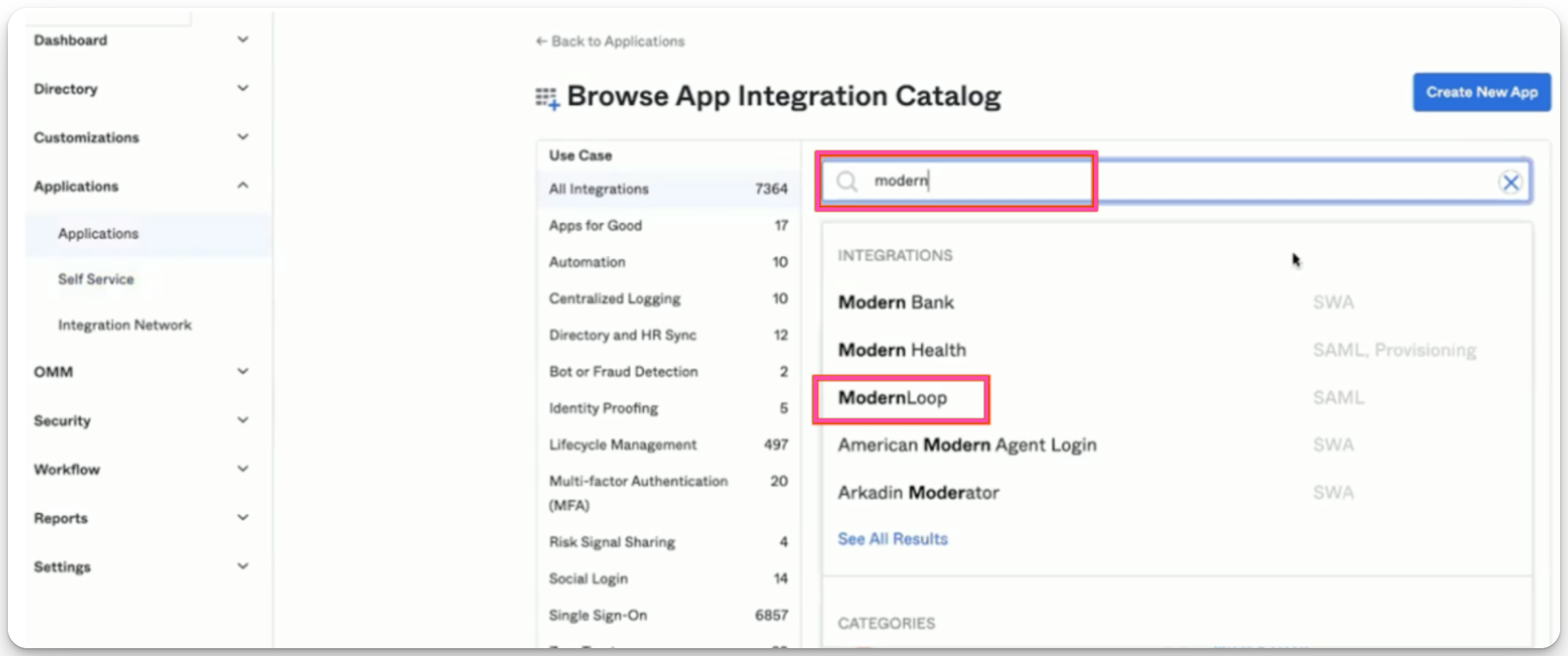
Search for "ModernLoop" in the App Integration Catalog within Okta and select it.
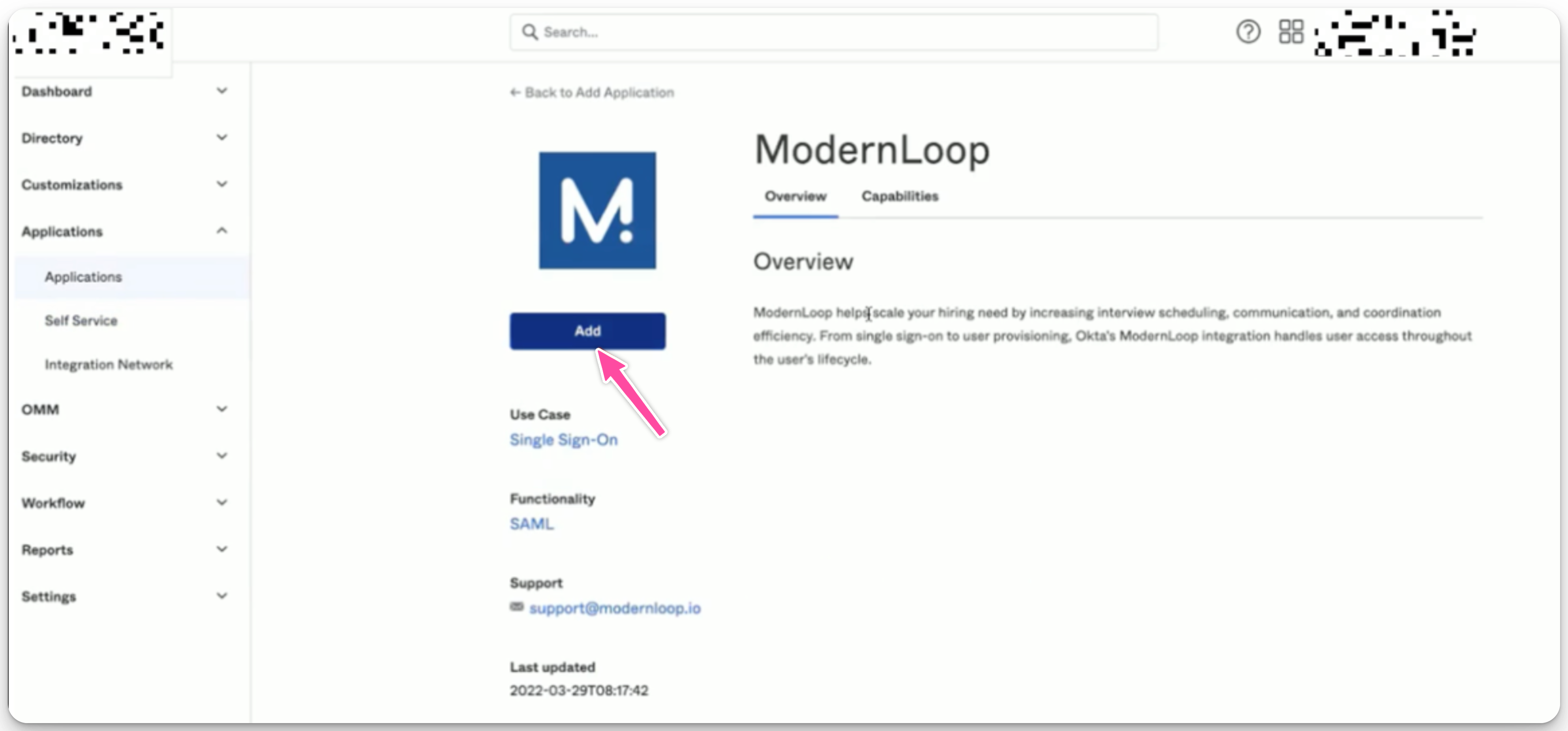
Click Add to create the integration.
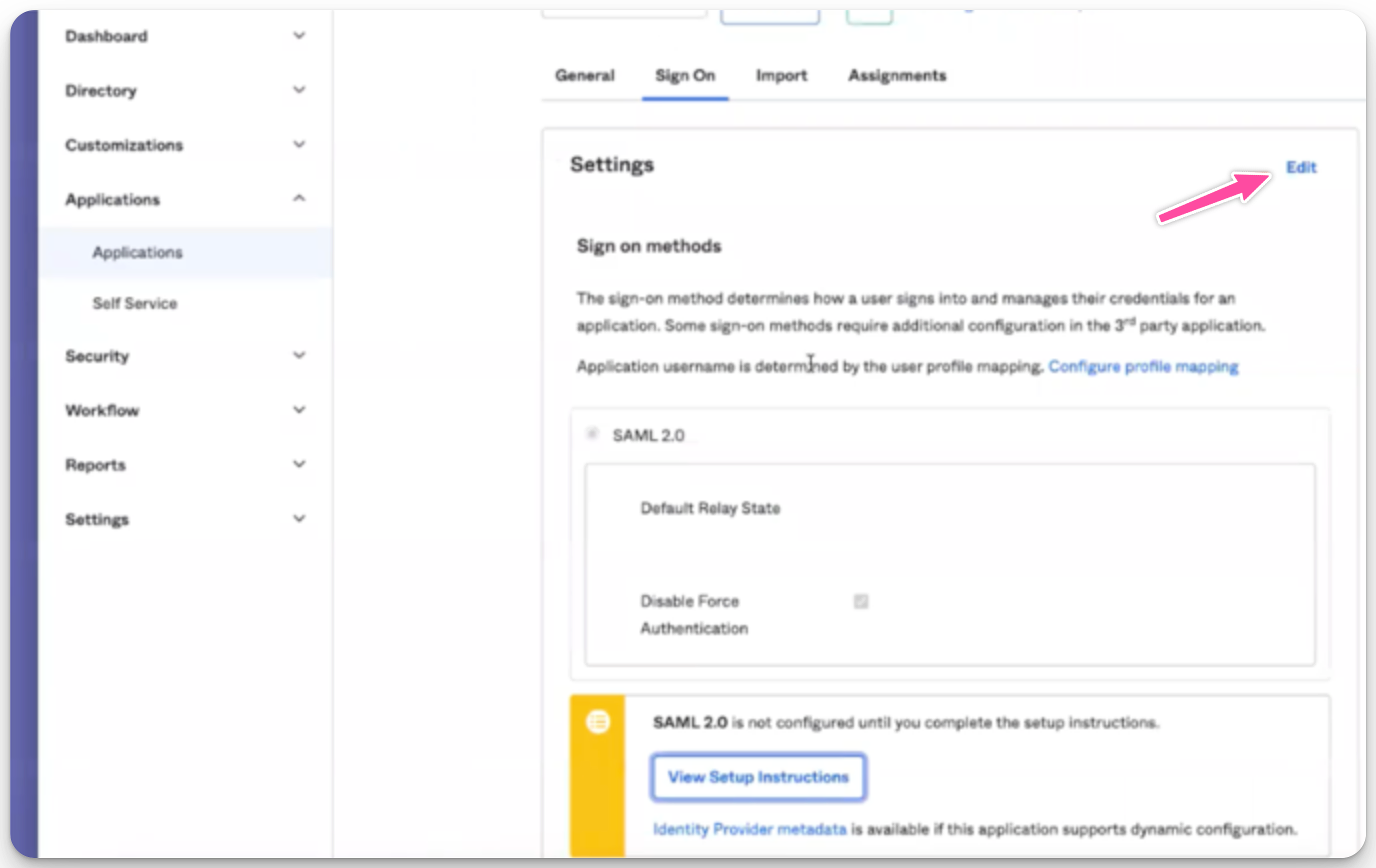
Configure Application Settings
From the Sign On tab, click Edit.
Scroll down to Advanced Sign-on Settings and enter the Customer ID provided by your CSM.
Set the Application username format to Email.
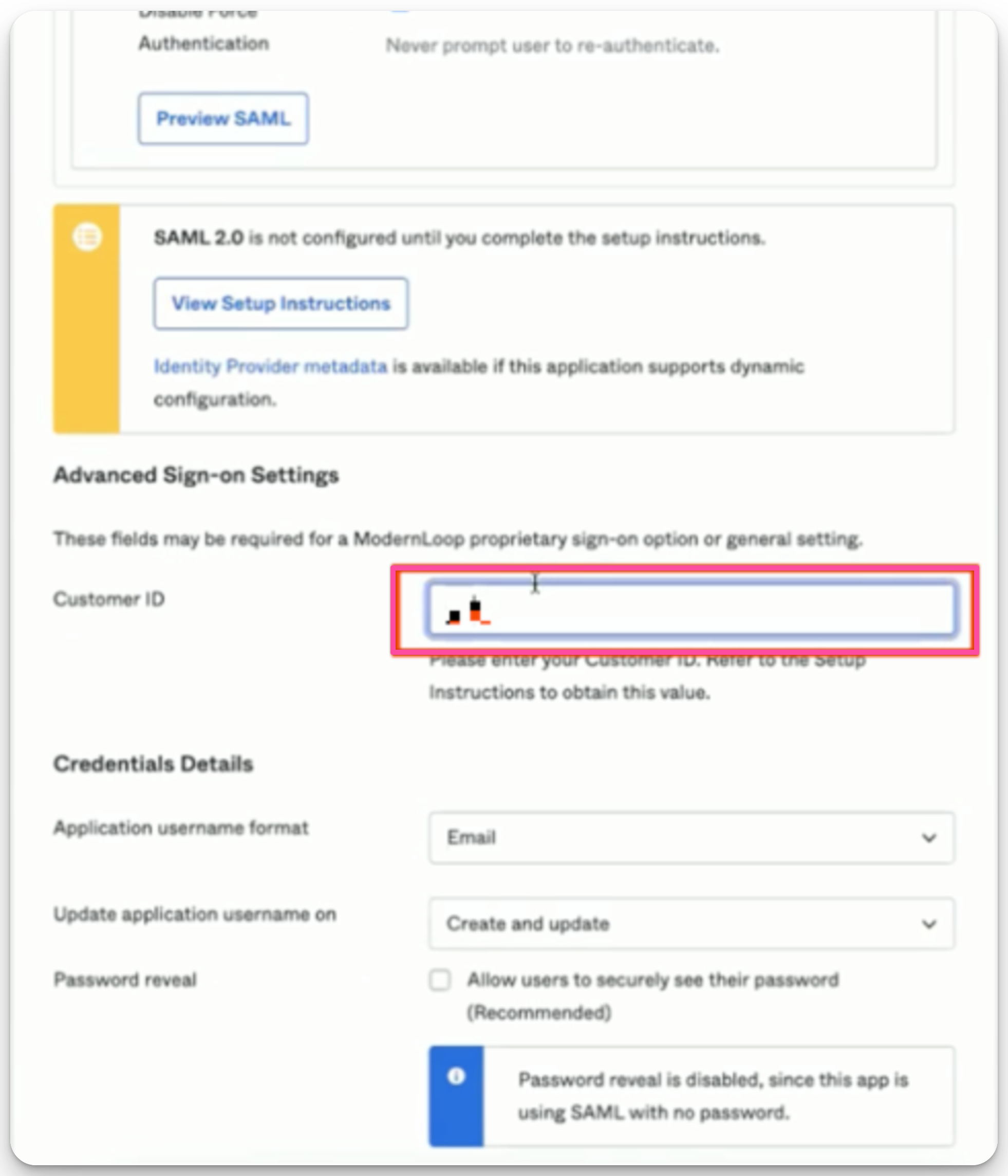
Click Save.
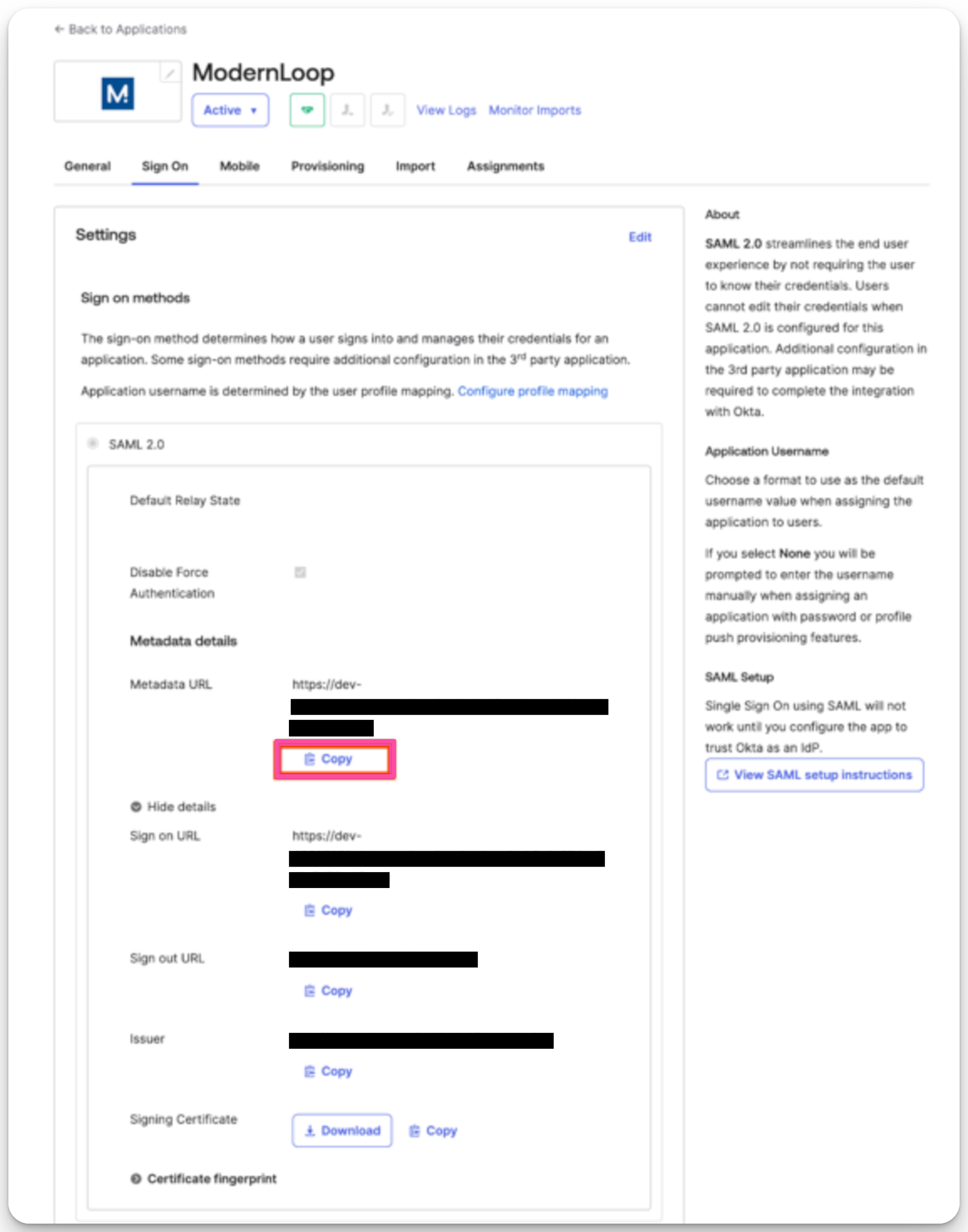
Select Copy under the Metadata URL and provide this URL to your CSM.
Assignments Tab
Users must be provisioned in the Assignments tab. Your CSM will provide a list of users to be provisioned.
Refer to Okta’s best practices for provisioning and deprovisioning users for guidance.
Troubleshooting
SAML not working: Verify that you have entered the correct Customer ID and provided all necessary configuration details to ModernLoop.
For further assistance, contact ModernLoop support at support@modernloop.io.