Greenhouse Harvest API V3 Update
Last updated: April 13, 2026
ModernLoop will soon support Greenhouse Harvest API V3, bringing improved performance, stronger security, and a more consistent API structure to your integration.
This update is designed to be seamless, with minimal disruption to your current workflows while unlocking important enhancements behind the scenes.
What is Changing?
Harvest API V3 introduces improvements that make integrations faster, more secure, and easier to maintain. While most day-to-day functionality in ModernLoop will feel the same, you can expect:
Improved system performance
Enhanced security standards
Better long-term reliability for integrations
Overall, this creates a more predictable and scalable experience for both your organization and ModernLoop behind the scenes.
Why This Update is Happening
Greenhouse is requiring all customers and partners to migrate to Harvest API V3 and will be deprecating Harvest API V2.
To ensure continued functionality of your ModernLoop + Greenhouse integration, this update will be required.
What to Expect in ModernLoop
For most users, the integration will continue to function as it does today. However, there is one enhancement to be aware of:
Support for Candidate Preferred Name
ModernLoop will now support a candidate’s preferred name from Greenhouse.
This allows for a more personalized and accurate candidate experience across scheduling and communications.
Required Steps
These steps will need to be done by July 7, 2026 in order to avoid disruption to your Greenhouse integration.
Setup & Authorization
Once Harvest API V3 is rolled out, you will need to follow these steps:
Authorize the organization-wide integration
Done once for your org
Needs to be done by a Greenhouse Site Admin user
Authorize your personal integration using your individual Greenhouse account
Needs to be done by ALL schedulers and admins
This will ensure proper access, stability, and alignment with Greenhouse’s updated authentication model.
Migration & Rollout
Switching to Harvest API V3 will be simple and require no downtime
Your existing workflows and scheduling processes will continue to operate as expected
No major retraining or reconfiguration is required
Sneak Peak of Integration Steps
ModernLoop will provide a full step-by-step integration guide soon. However, we understand that your team is likely curious as to what the steps will look like so we have provided screenshots from our testing environment of the integration steps.
Please note: While the steps to integrate will remain much the same, final screenshots may vary slightly as we finalize this change.
Steps to Authorize at the Org Level:
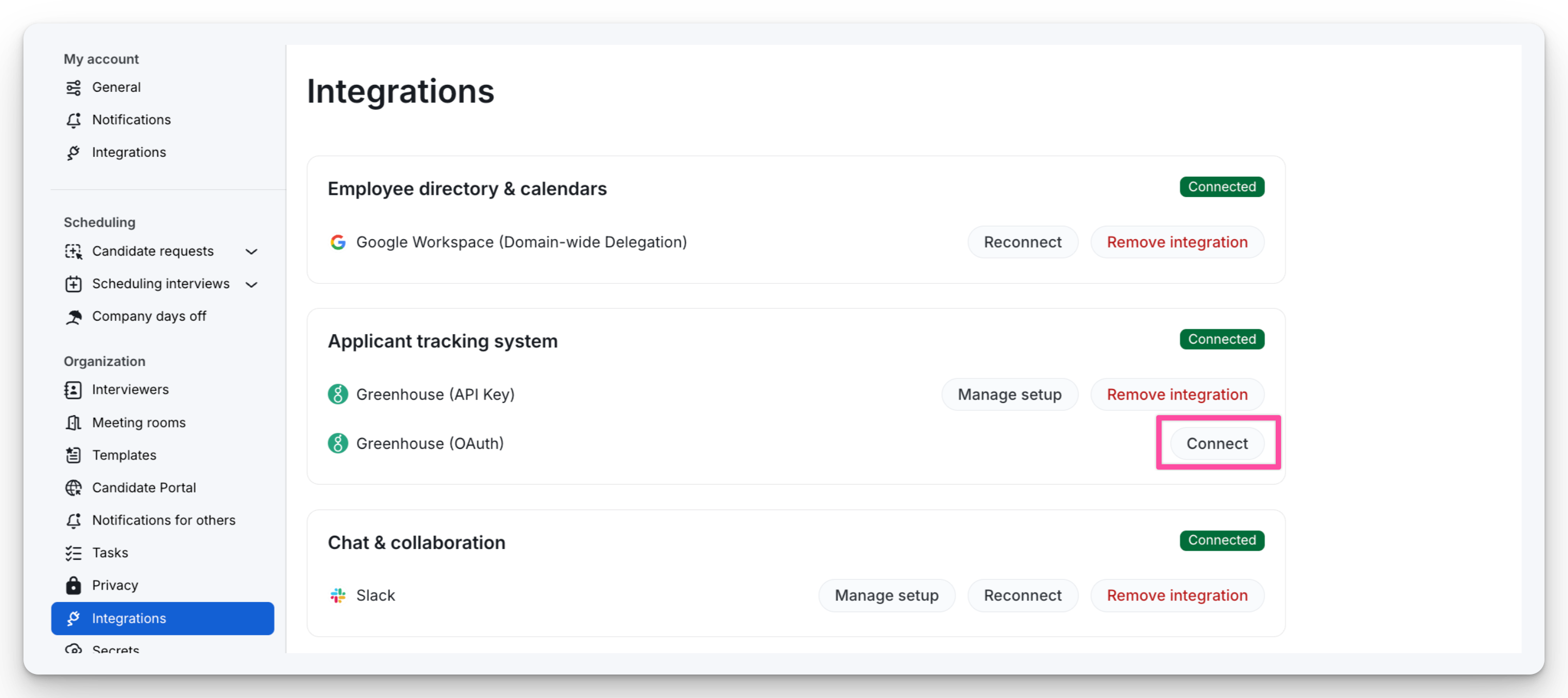
Navigate to Organization settings> Organization> Integrations
Click Connect next to Greenhouse (OAuth)
Log in to Greenhouse using a Site Admin account.
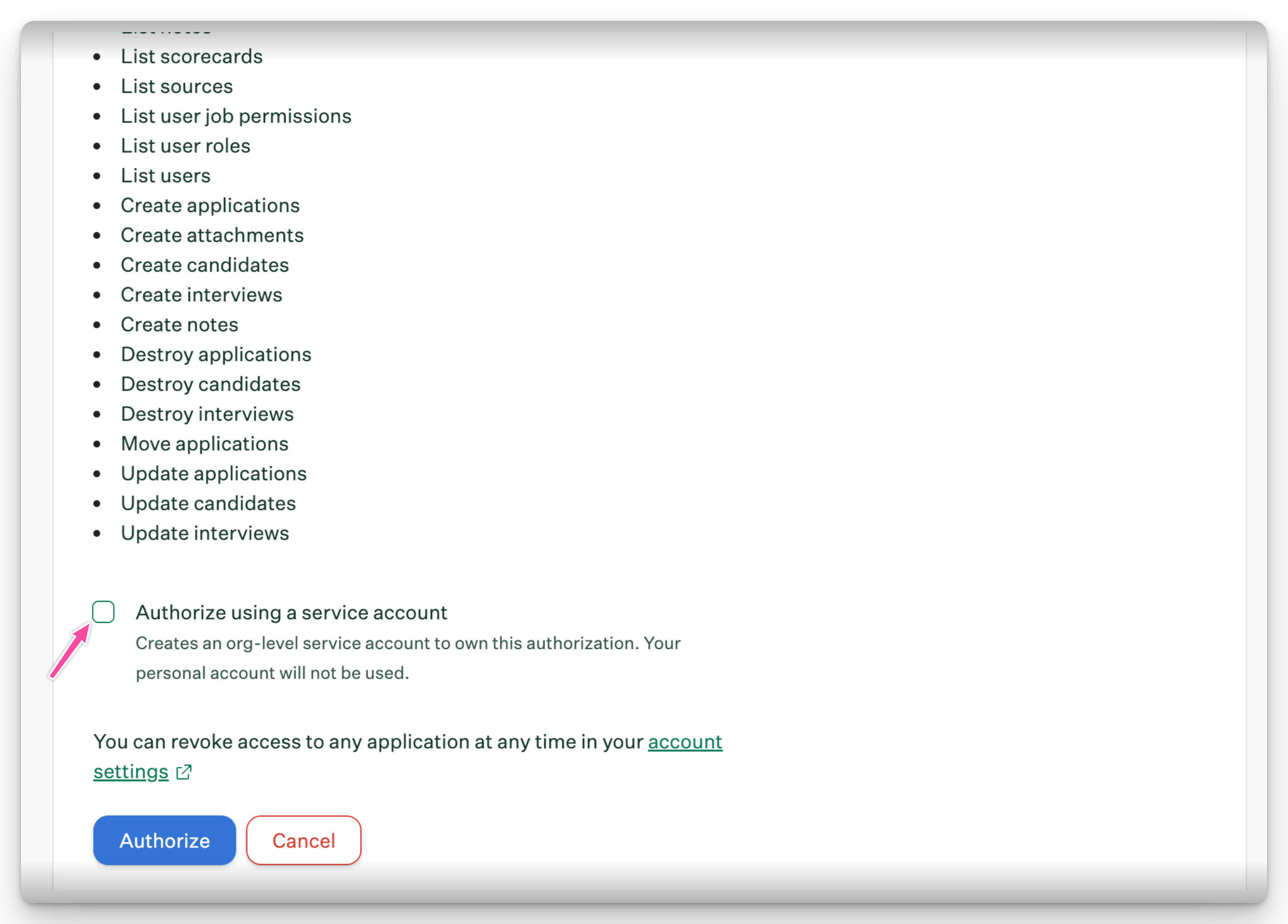
Select Authorize using a service account and click Authorize
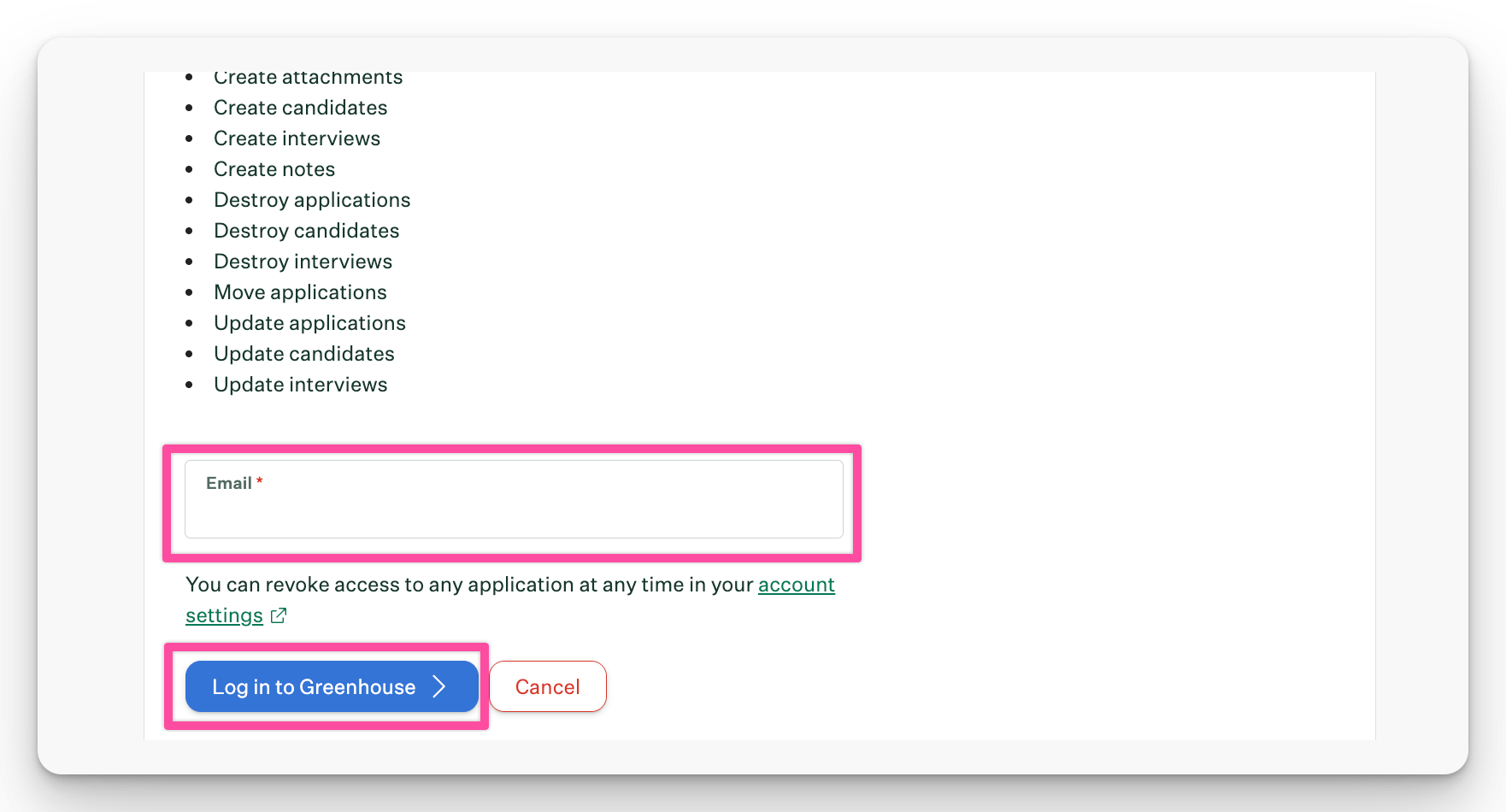
Enter the service account email and click Log in to Greenhouse
Steps to Authorize at the Individual Level
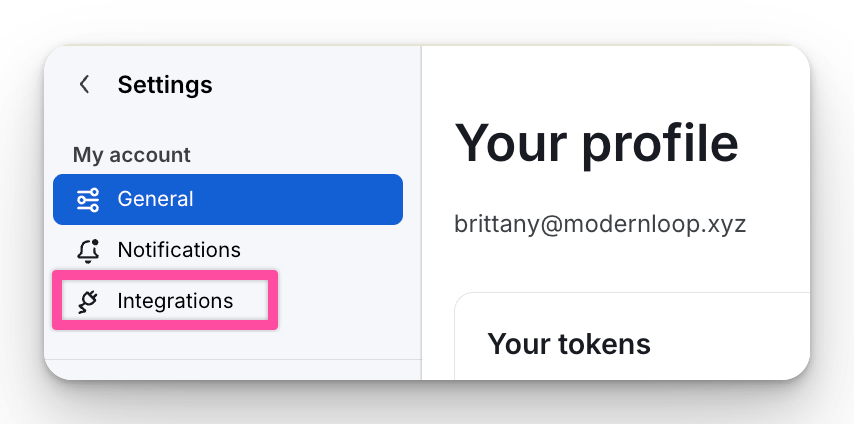
Navigate to Your account > Personal Preferences
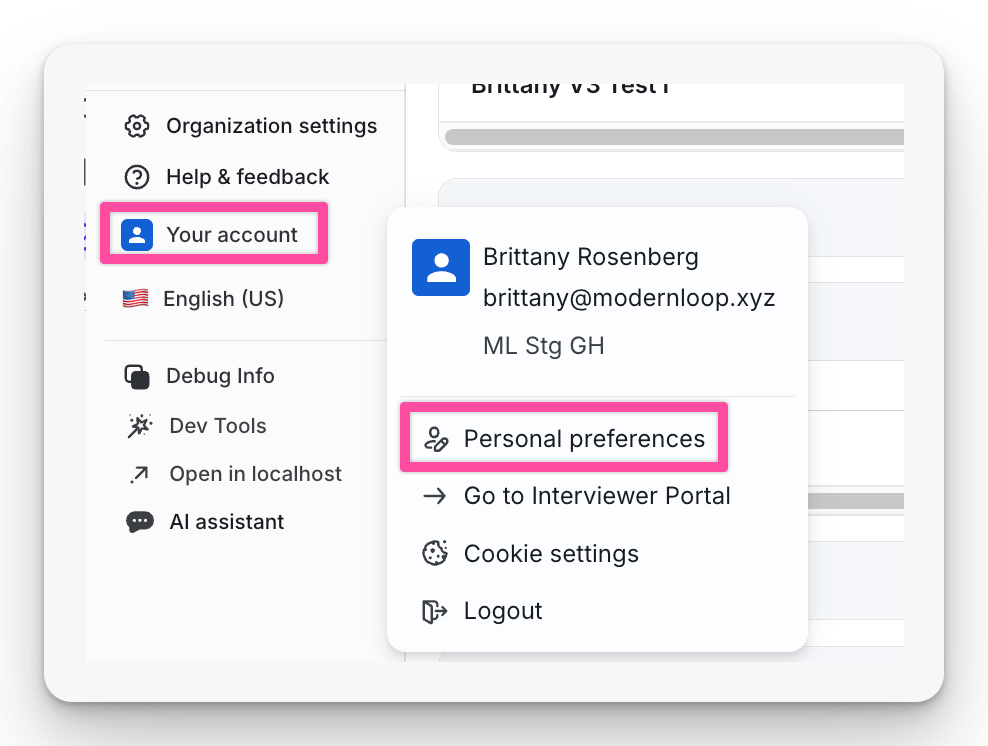
Select Integrations
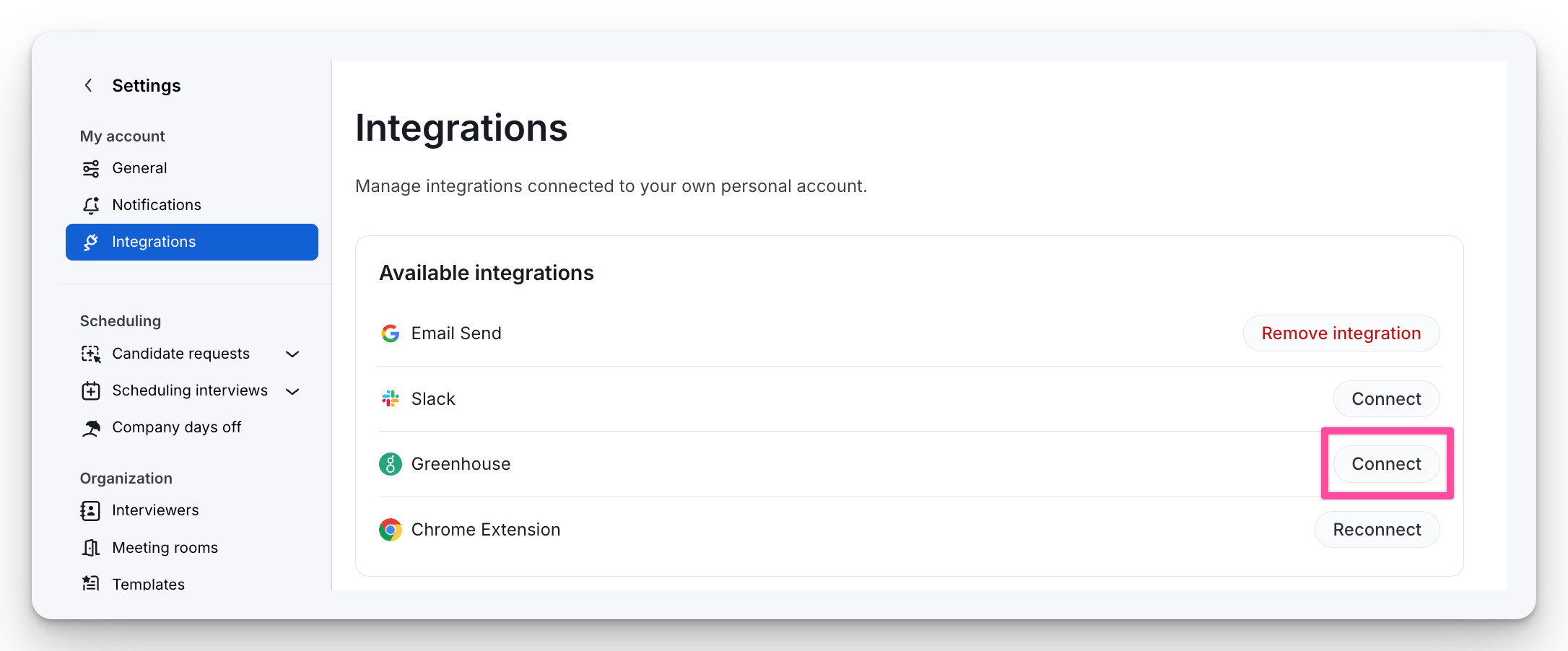
Select Connect next to Greenhouse
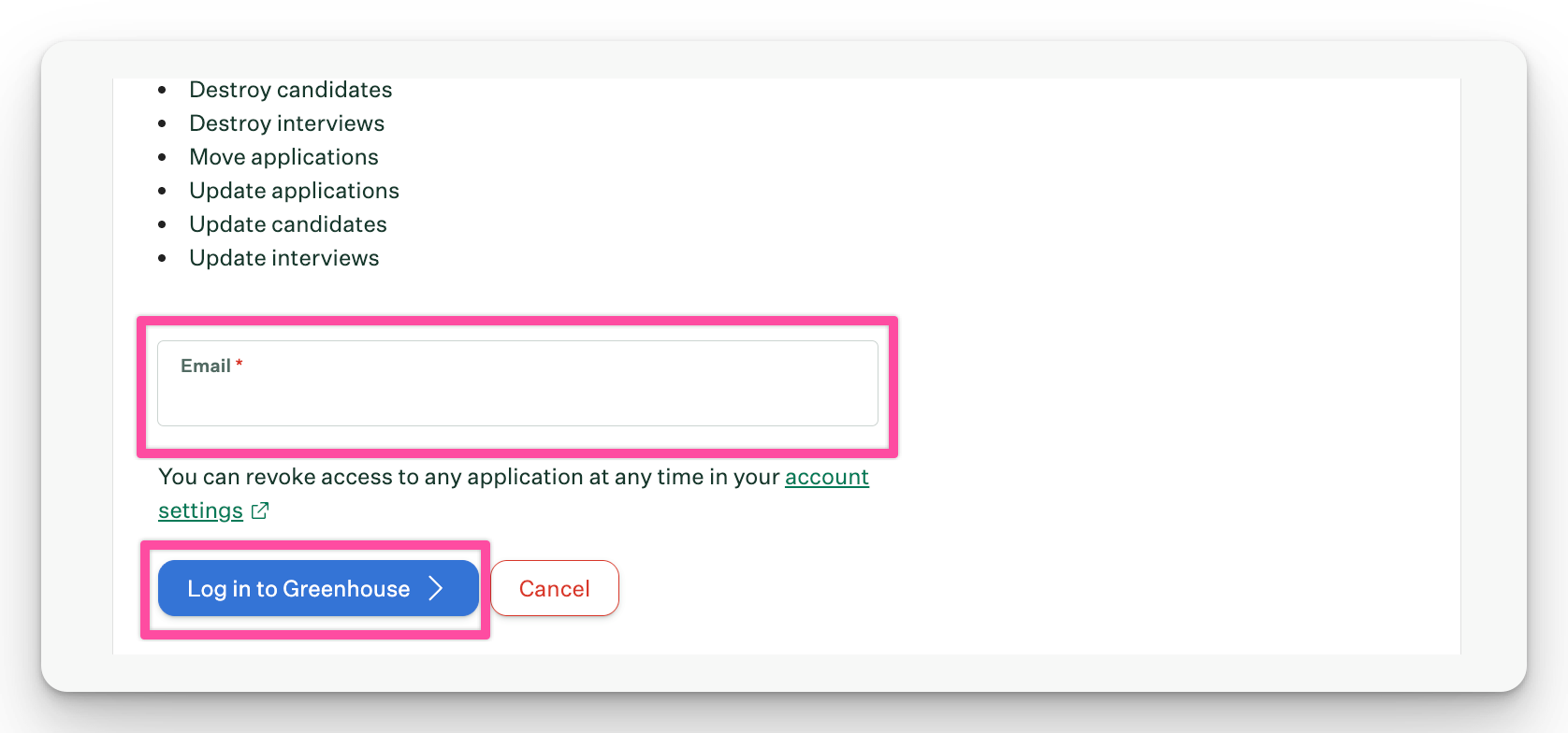
Enter your email and click Log in to Greenhouse
Log in to your Greenhouse account
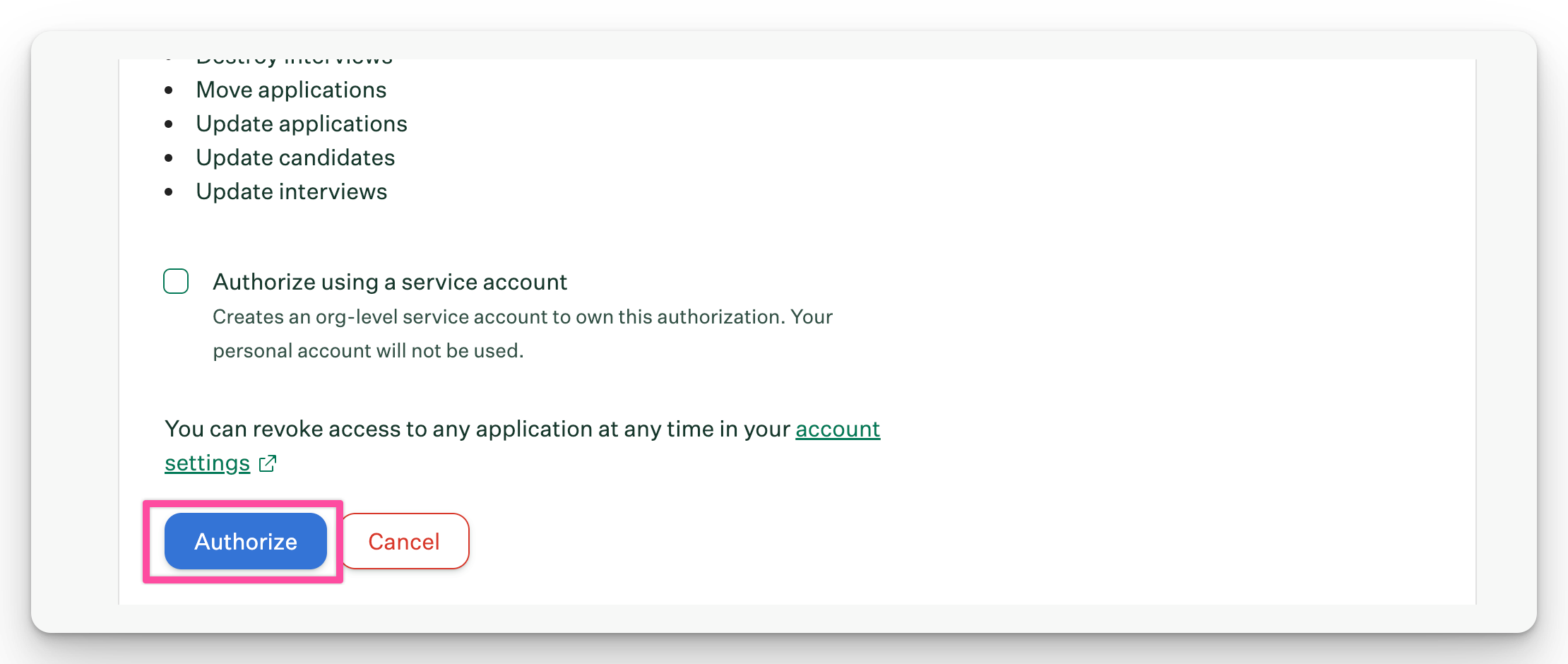
Leave Authorize using a service account UNCHECKED and click Authorize
Permissions
The following permissions are required for the ModernLoop integration:
- List application stages
- List applications
- List attachments
- List candidates
- List default interviewers
- List departments
- List email templates
- List interview kits
- List interviewers
- List interviews
- List job hiring managers
- List job interview stages
- List job interviews
- List job owners
- List job post locations
- List job posts
- List jobs
- List notes
- List scorecards
- List sources
- List user emails
- List user job permissions
- List user roles
- List users
- Create applications
- Create attachments
- Create candidates
- Create interviews
- Create notes
- Destroy interviews
- Move applications
- Update applications
- Update candidates
- Update interviews
- Merge candidates
Recommended Next Steps
To prepare for this update:
Inform your IT team that this change is coming
Ensure your team is aligned on service account usage and authorization
Stay tuned for additional rollout details and timelines
Additional Information
More details, including step-by-step migration guidance and timelines, will be shared soon.