SmartRecruiters Integration
Last updated: February 9, 2026
ModernLoop's integration with SmartRecruiters leverages the API to provide the following functionalities:
Sync candidate information between SmartRecruiters and ModernLoop.
Enable seamless navigation between candidate profiles in SmartRecruiters and ModernLoop.
Import jobs and hiring processes.
If you’re an existing ModernLoop customer planning to transition to a new ATS, please notify your CSM or email support@modernloop.io at least 2 weeks before your target transition date.
See📄 ATS Transitioning Planfor additional information.
Prerequisites
The SmartRecruiters user setting up the integration must have Admin access in SmartRecruiters.
The SmartRecruiters user setting up the integration must also have Admin access in ModernLoop.
Create a new admin user in the SmartRecruiters instance called ModernLoop to connect to ModernLoop.
If the SmartRecruiters account provided to ModernLoop becomes deprecated, the integration will stop functioning. We recommend using a dedicated service account with the Admin or Custom role for this task to ensure uninterrupted functionality.
Instructions
Create an Admin user in SmartRecruiters
Due to an API limitation, all actions taken in ModernLoop will appear in SmartRecruiters as being performed by the user who originally connected the SmartRecruiters integration in ModernLoop.
To ensure consistency and avoid attributing actions to an individual user (e.g., "Joe Smith"), we recommend creating a dedicated admin user in SmartRecruiters named "ModernLoop". This way, all integration-related activity will be clearly attributed to ModernLoop.
Create an API Key for the SmartRecruiters/ModernLoop Integration
In SmartRecruiters, navigate to Settings.
Go to Administration→ Apps & Integrations.
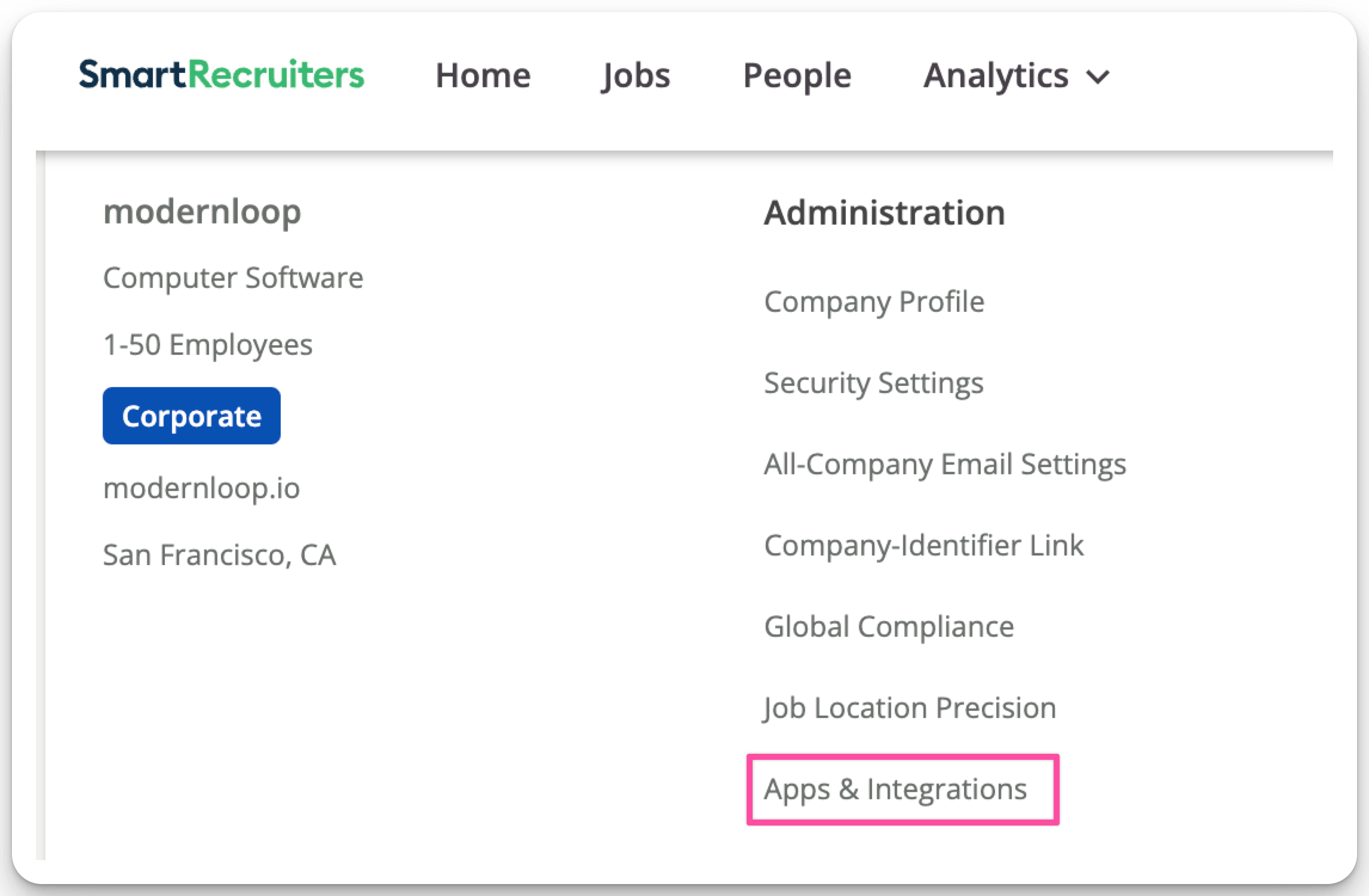
Go to the CREDENTIALS tab.
Click NEW CREDENTIAL.
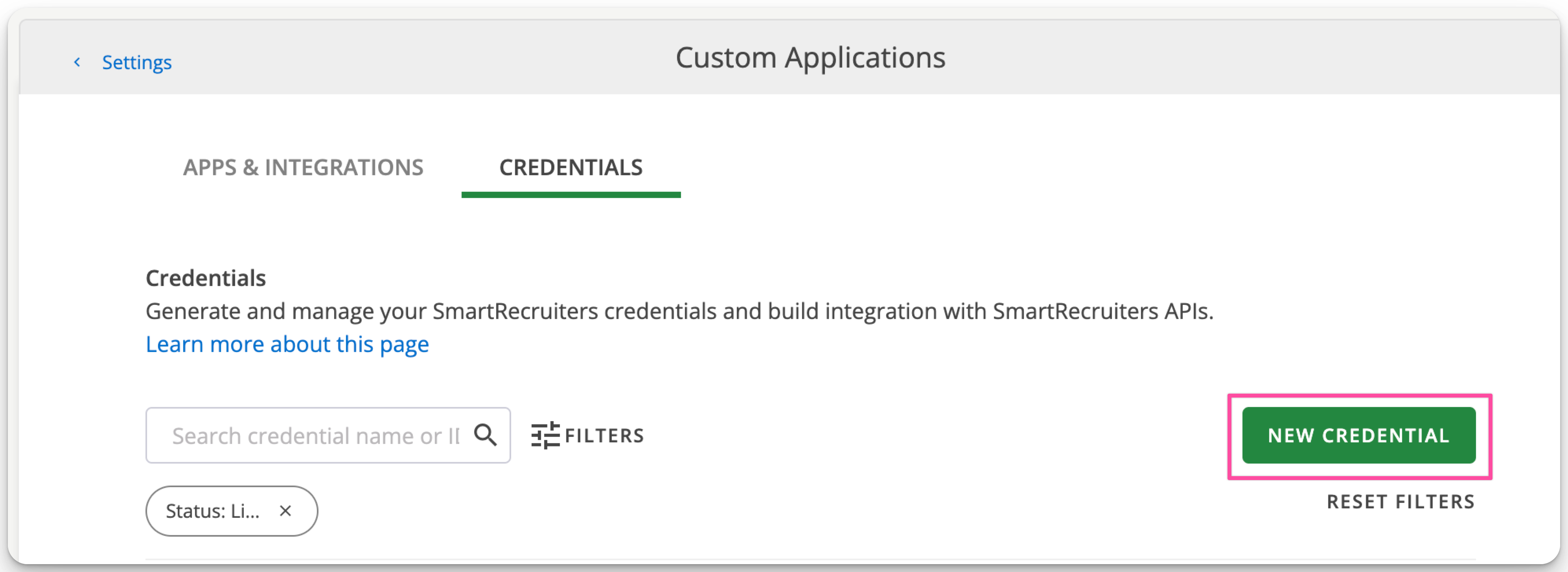
Select API Key and NEXT.
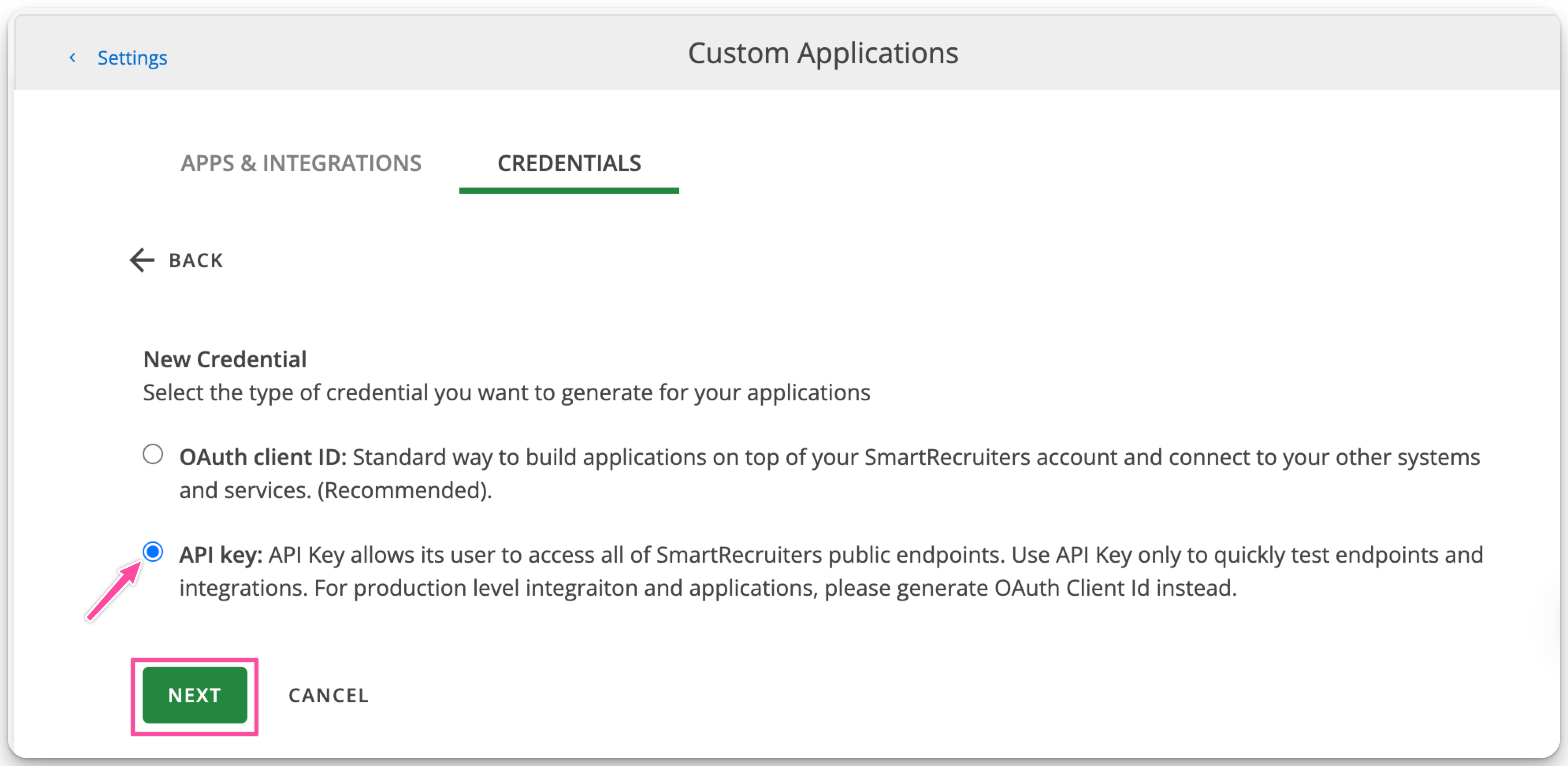
In the modal:
Enter "ModernLoop" in the Credentials name field.
Select Admin from the System Role dropdown.
Add a description.
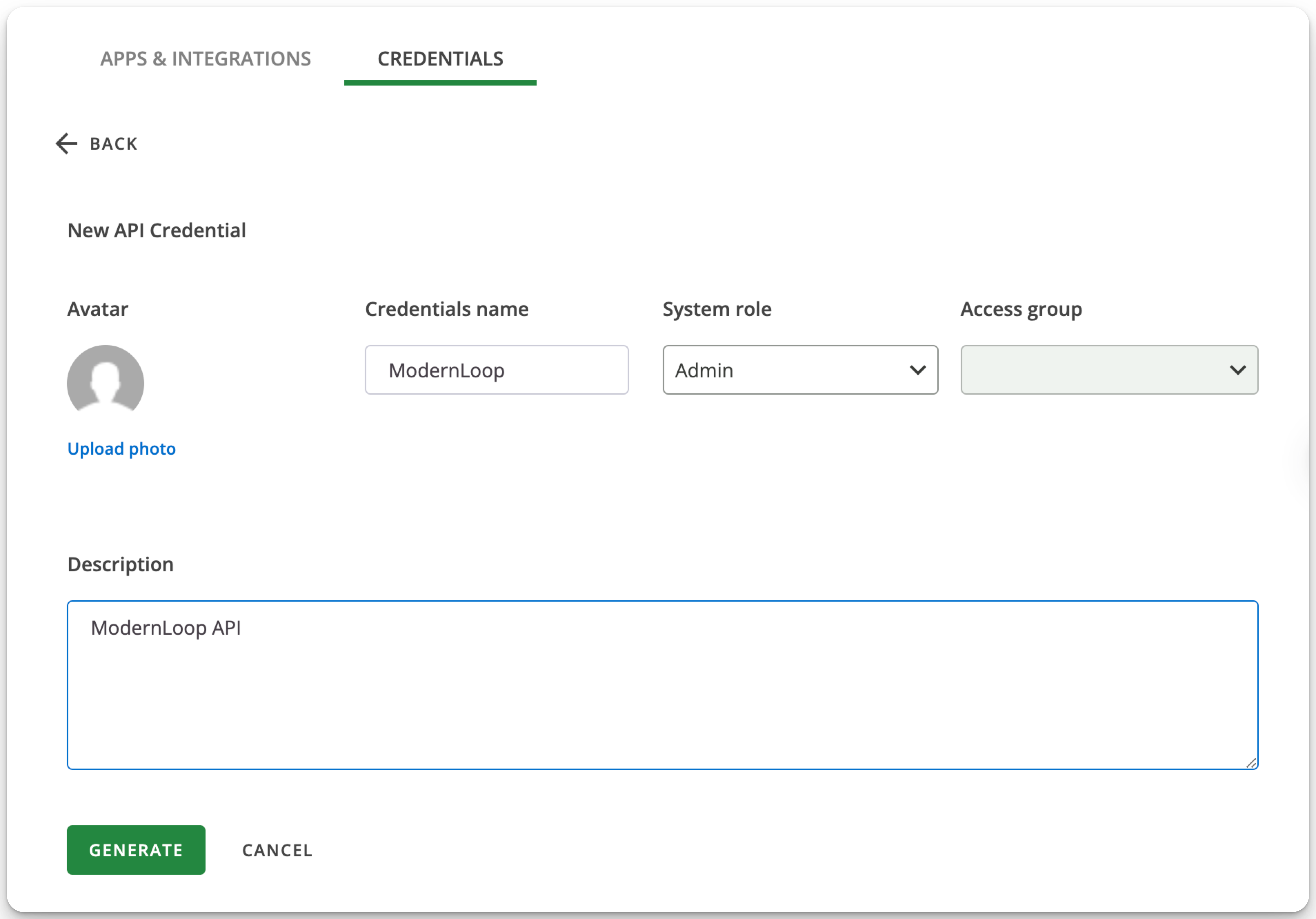
Select GENERATE.
Copy the API Key presented to you.
Important: Once the modal is closed, you will no longer be able to copy the API Key.
Provide the API Key to ModernLoop
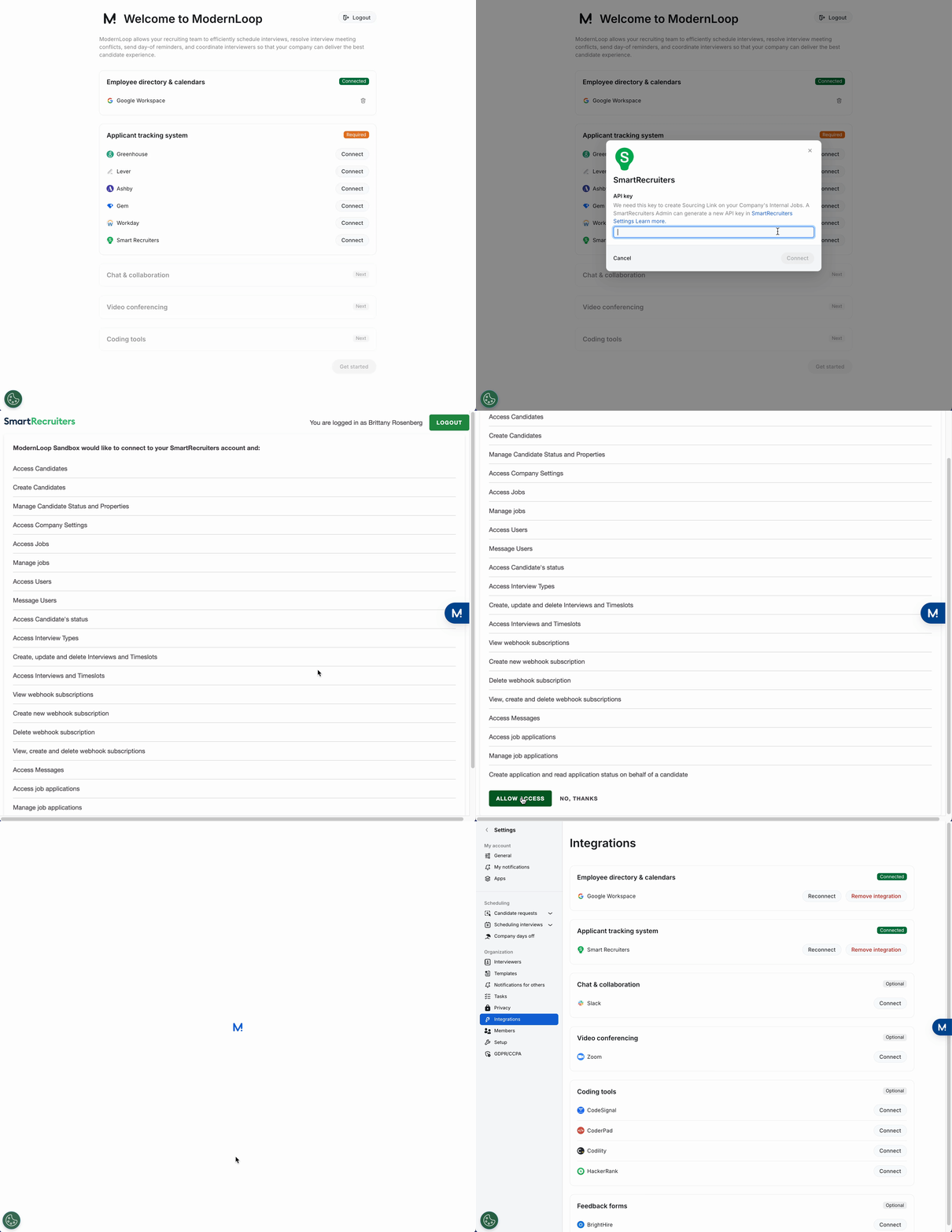
Log in to your ModernLoop account at https://app.modernloop.io/.
Find SmartRecruiters in the Applicant Tracking System section and click Connect.
Paste the API Key into the field.
Click Connect.
Click Allow Access.