Greenhouse Integration [Legacy]
Last updated: August 19, 2026
Important: This article covers a previous version of the Greenhouse integration and is no longer applicable to current setups. It is available for reference only. For the current integration process, please follow the instructions in our
Greenhouse's integration with ModernLoop utilizes the Harvest API to enable the following features:
Sync candidate information between Greenhouse and ModernLoop.
Seamless navigation between candidate profiles in Greenhouse and ModernLoop.
Import candidate availability from Greenhouse's Request Availability feature.
Import jobs, job stages, scorecards, and interview plans.
Post communications sent from ModernLoop to the Greenhouse activity feed.
If you’re an existing ModernLoop customer planning to transition to a new ATS, please notify your CSM or email support@modernloop.io at least 2 weeks before your target transition date.
See📄 ATS Transitioning Planfor additional information.
Prerequisites
The Greenhouse user setting up the integration must also have Admin access to ModernLoop.
The Greenhouse user setting up the integration must have Admin access in Greenhouse.
To generate an API key, you need the Developer Permission: Can manage ALL organization's API Credentials. This permission is not enabled for all Greenhouse Admins by default.
Adding or Removing Developer Permissions in Greenhouse
Navigate to the Users Configure page (Configure icon → Users).
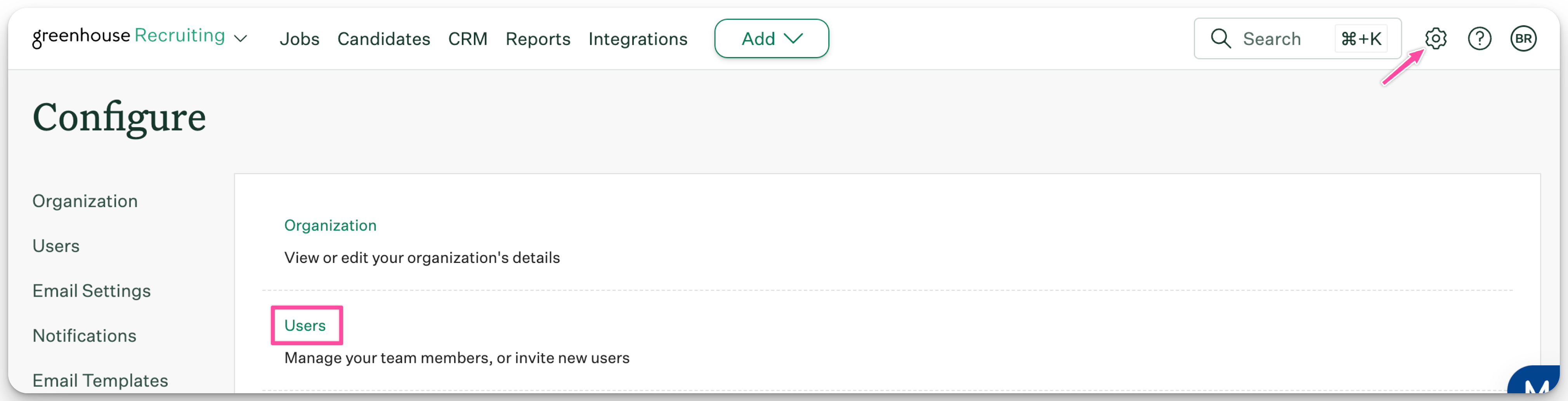
Select the user you want to edit from the list.
In the Permissions panel, check the boxes for the developer permissions to be added or removed.
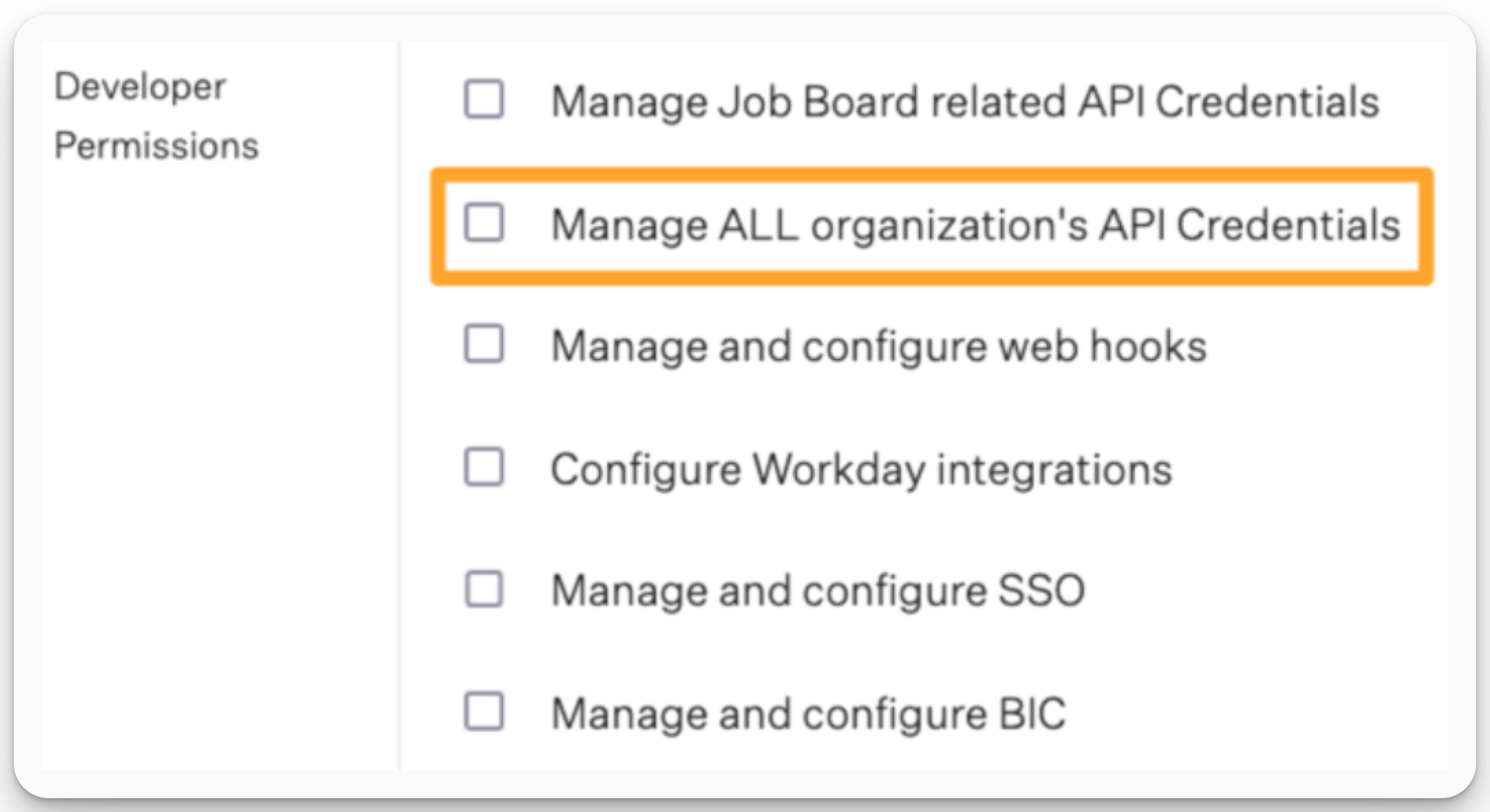
Click Save when finished.
For more details on Developer Permissions, refer to Greenhouse's official documentation: Developer Permissions.
Instructions
Create a Harvest API Key for the Greenhouse/ModernLoop Integration
In Greenhouse, click on the Configure icon and select Dev Center from the left-hand menu.
In the Dev Center, select API Credential Management.
If you don’t see the API Credential Management option, your permissions may need adjustment. See the Prerequisites section for details.
On the API Credential Management page, click Create New API Key.
In the Create New Credential modal, complete the following fields:
API Type: Select Harvest.
Partner: Select ModernLoop.
Description: Enter "ModernLoop Harvest API Key".
Click Manage Permissions.
Click Copy to save your API Key to your clipboard and store it securely. You’ll need it in the next step.
Important: Once you click I have stored the API Key, you will no longer be able to view the key. If it’s lost, you’ll need to generate a new key and provide it to ModernLoop.
When finished, click Save.
Your Harvest API Key for the Greenhouse/ModernLoop integration is now created and configured.
Provide the Harvest API Key to ModernLoop
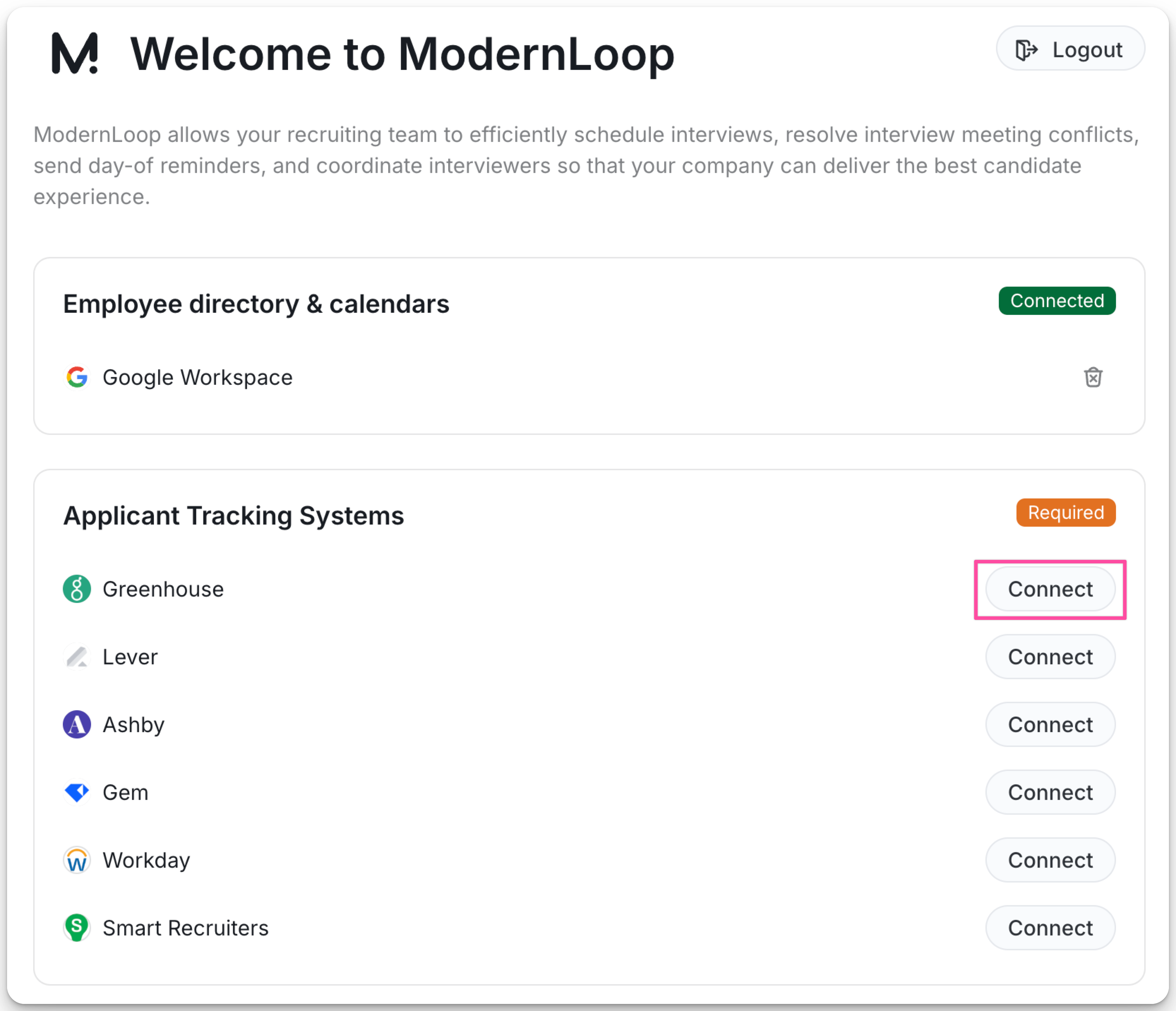
Log in to your ModernLoop account at https://app.modernloop.io/.
In the Applicant Tracking System section, select Connect next to Greenhouse.
Enter your API Key.
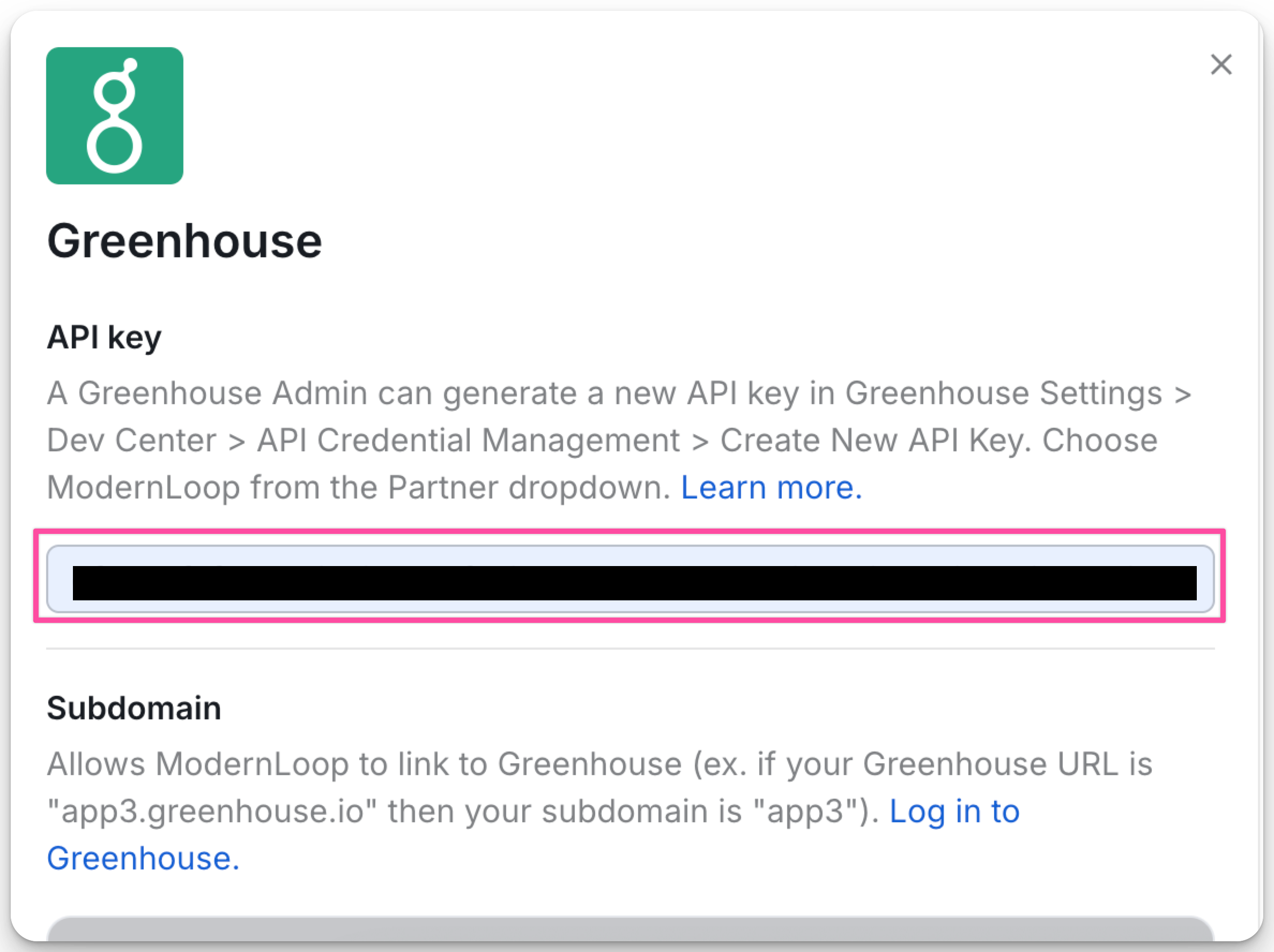
Enter your subdomain.
The subdomain is the first part of your Greenhouse URL (e.g.,
app3,app4).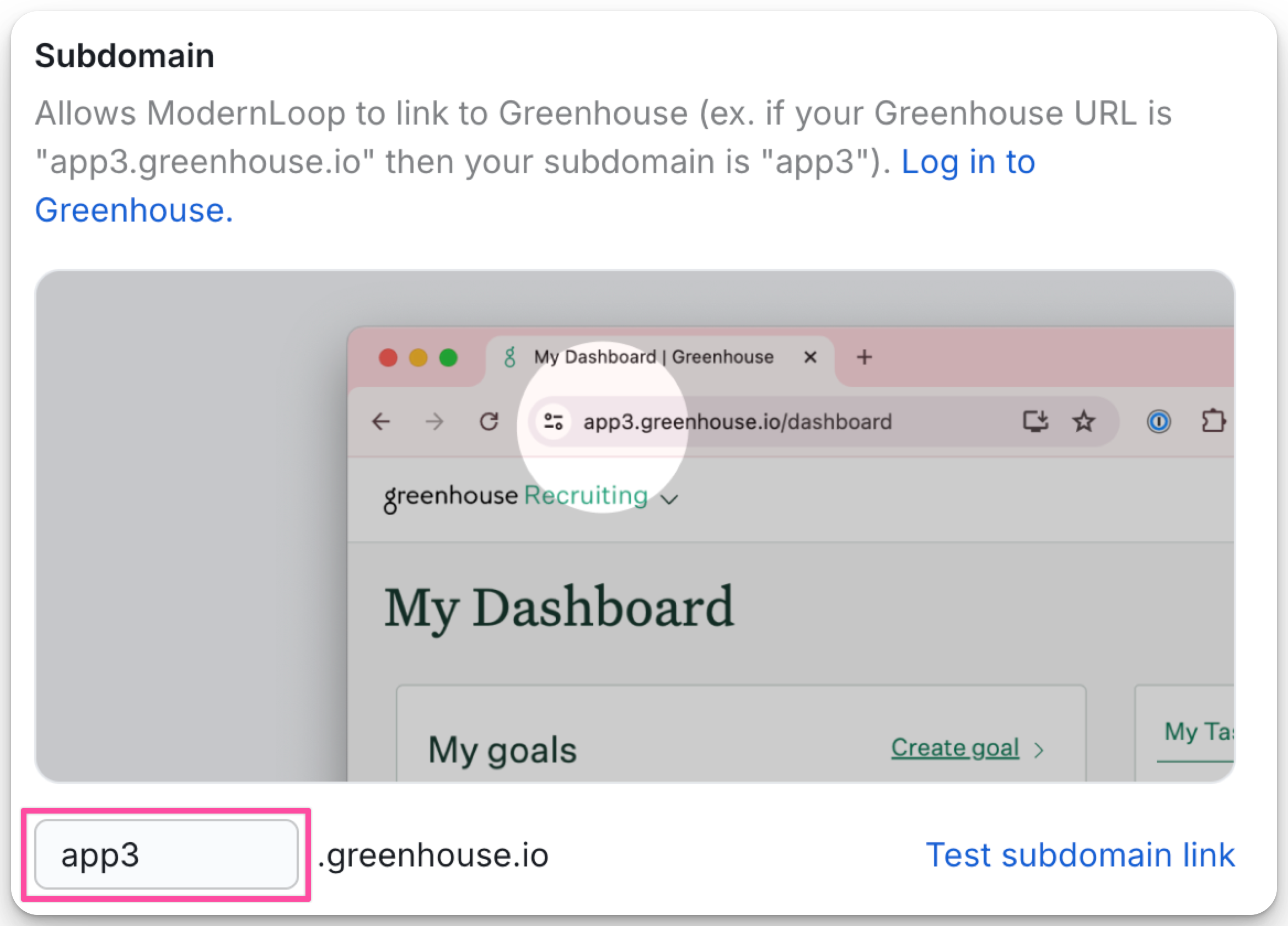
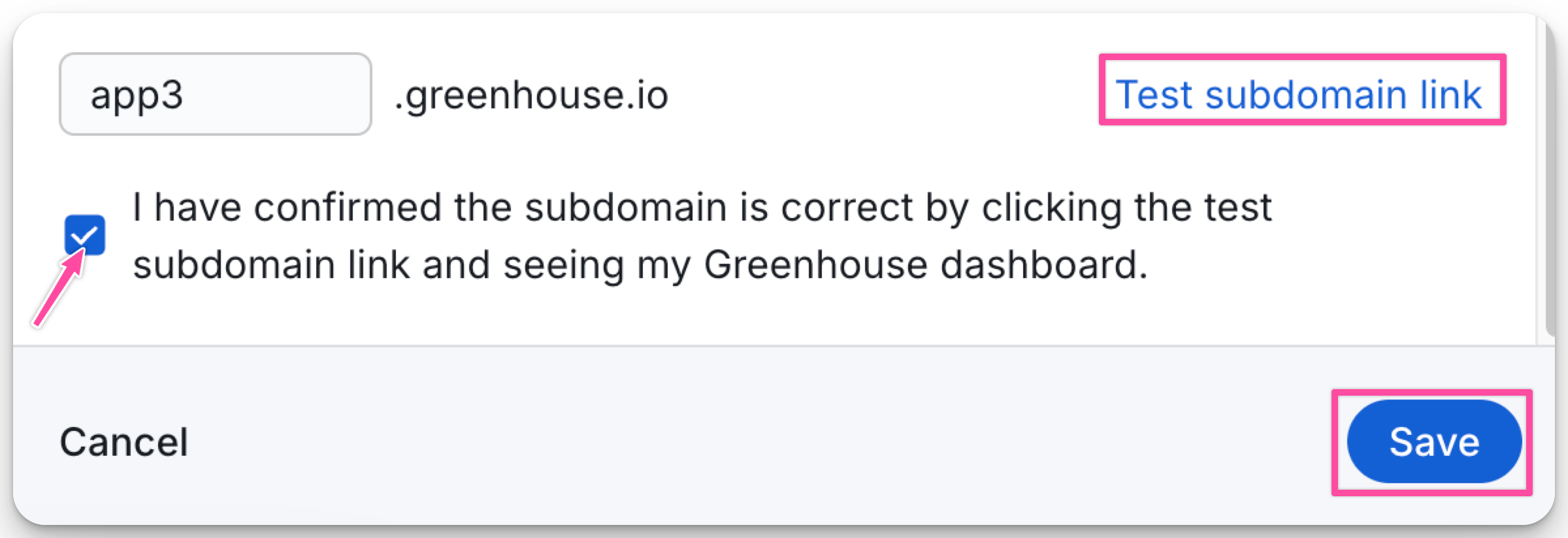
Confirm that your subdomain is correct and click Save.
API Permission List
These permissions are automatically applied when selecting ModernLoop in Step 4 of creating the Harvest API Key. The list below is for reference only.
The following permissions are required for the ModernLoop integration:
Applications
POST: Advance Application
POST: Move Application
GET: Retrieve Application
GET: List Applications
Activity Feed
GET: Retrieve Activity Feed
Candidates
GET: Retrieve Candidate
GET: List Candidates
POST: Add Note
POST: Add Email
PATCH: Edit Candidate
Departments
GET: Retrieve Department
GET: List Departments
Email Templates
GET: Retrieve Email Template
GET: List Email Templates
Job Openings
GET: List Openings for a Job
Job Posts
GET: List Job Posts
GET: Retrieve Job Post for a Job
GET: List Job Posts for a Job
Job Stages
GET: Retrieve Job Stage
GET: List Job Stages
GET: List Job Stages for a Job
Jobs
GET: Retrieve Job
GET: List Jobs
PATCH: Update Job
POST: Create a New Job
GET: Get Hiring Team
POST: Add Hiring Team Member
DELETE: Remove Hiring Team Member
PUT: Replace Hiring Team
Offices
GET: Retrieve Office
GET: List Offices
Scheduled Interviews
GET: List Interviews for Application
GET: Retrieve Interview
GET: List Interviewers
DELETE: Delete a Scheduled Interview
POST: Create a Scheduled Interview
PATCH: Update a Scheduled Interview
Sources
GET: List Sources
Tags
GET: List Tags Applied to Candidate
GET: List Candidate Tags
User Roles
GET: List User Roles
Users
GET: Retrieve User
GET: List Users
GET: List User Job Permissions
GET: List User Future Job Permissions