Microsoft 365 - Organization App Install
Last updated: February 9, 2026
ModernLoop's Microsoft 365/Outlook Integration streamlines scheduling by coordinating between interview teams and candidates. With this integration, your team can:
Assign interviewers from users in your workspace.
Find the ideal interview schedule.
Analyze interviewer conflicts.
Access and manage calendar resources (e.g., rooms).
Send emails to candidates.
If you’re an existing ModernLoop customer planning to transition from Microsoft to Google Workspace, please notify your CSM or email support@modernloop.io at least 1 month prior to your target transition date.
In This Article
Prerequisites
Administrator Permissions:
You will need administrator permissions for your Microsoft workspace to complete the integration.
ModernLoop Access:
Ensure you have access to the ModernLoop platform. If not, contact your ModernLoop Customer Success Manager (CSM).
Create Calendar User(s):
If the Microsoft account provided to ModernLoop becomes deprecated, the integration will stop functioning. We recommend using a dedicated service account for this task to ensure uninterrupted functionality.
List of Permissions
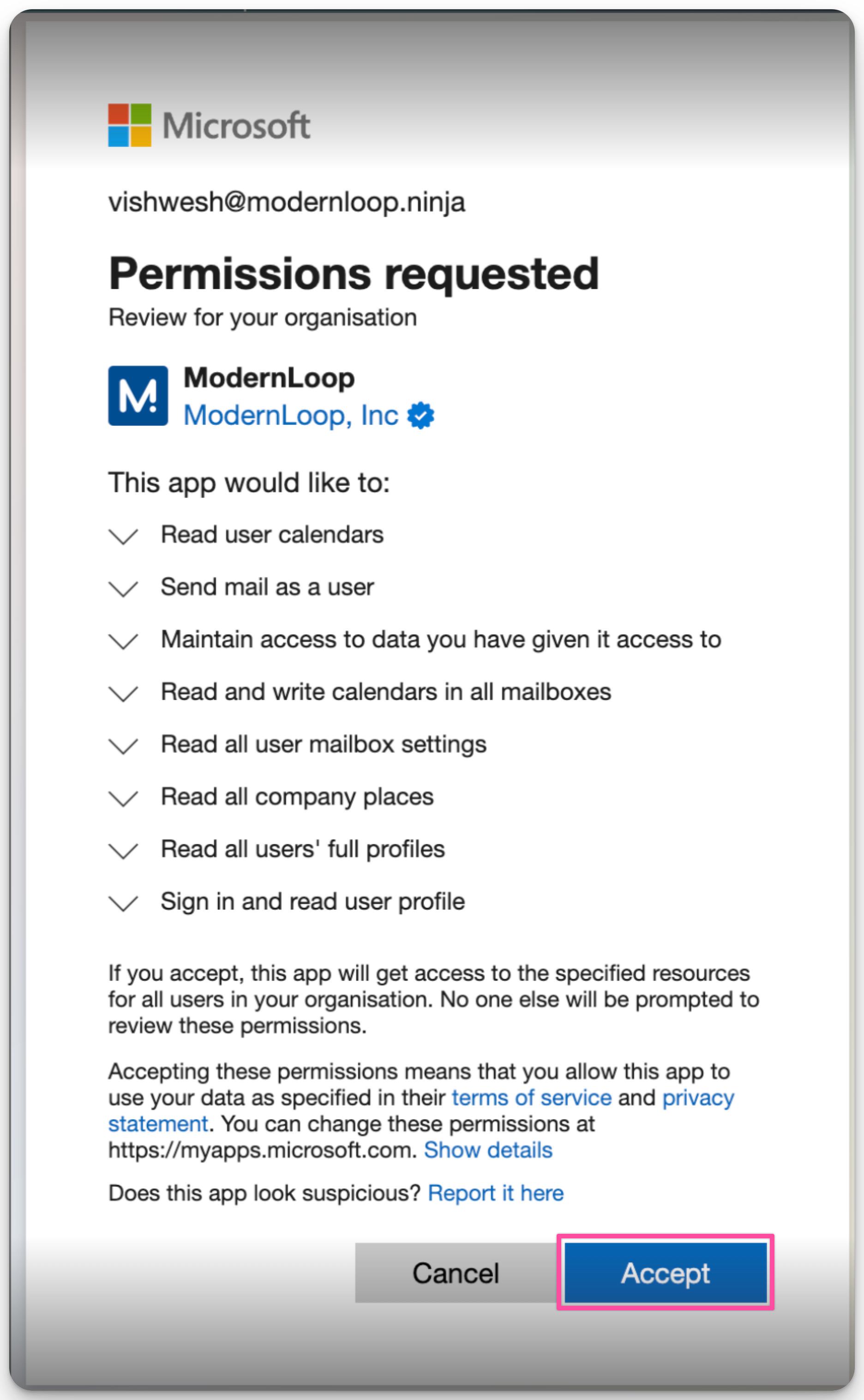
ModernLoop requires the following permissions for the integration:
Read and write calendars in all mailboxes: Manage and schedule interviews.
Read all user mailbox settings: Retrieve user-specific settings for improved functionality.
Read all company places: Access room availability for scheduling interviews.
Read all users' full profiles: Identify and assign interviewers from your organization.
Sign in and read user profiles: Authenticate users and access basic profile information.
Integration Instructions
Log in to ModernLoop at https://app.modernloop.io/ using your Microsoft 365 account.
Click Connect Microsoft 365.
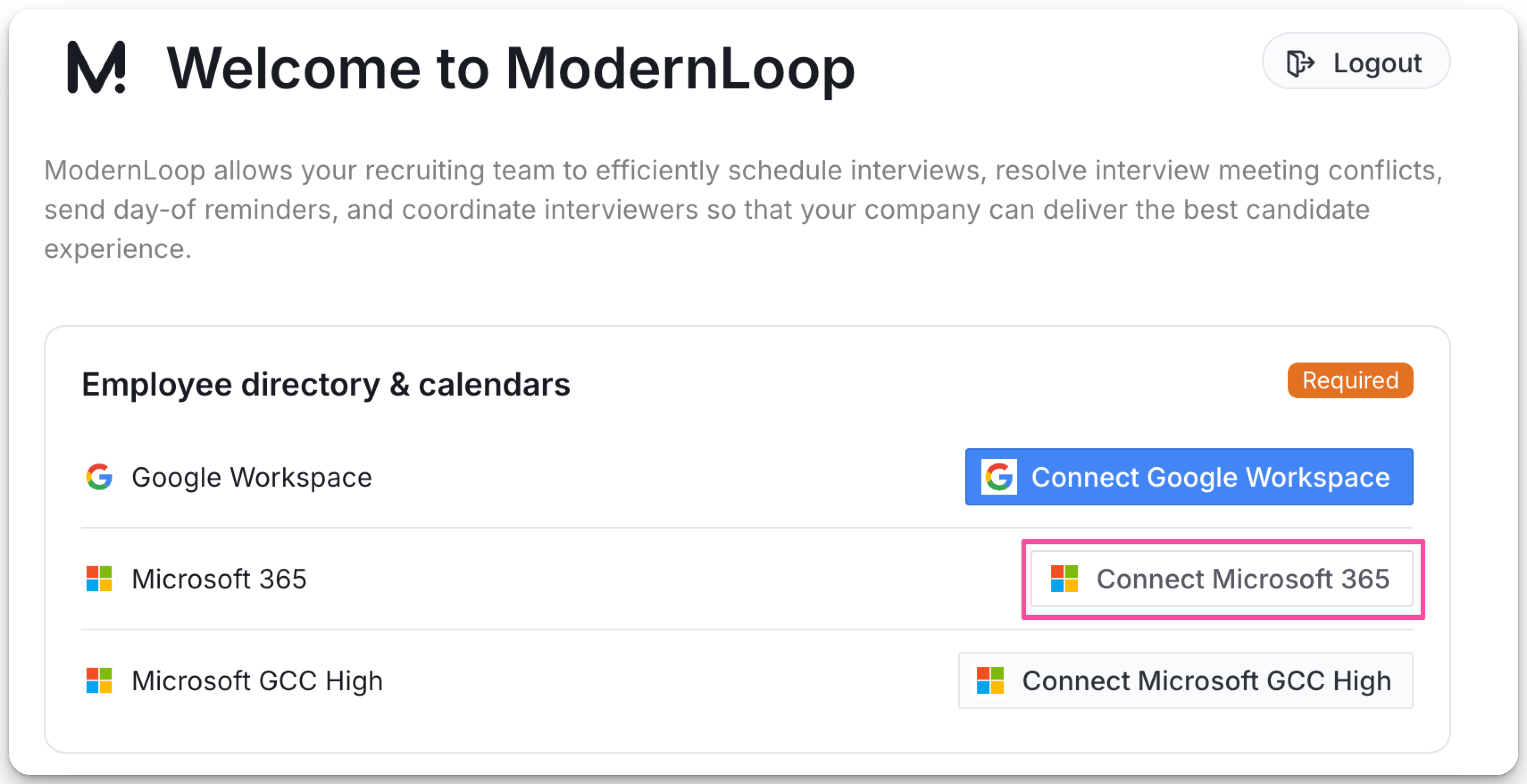
Review the permissions on the Permissions requested screen.
You will see an Organization App Consent screen. This consists of all the Application level and Delegated (User Level) Permissions that ModernLoop Application requires. Click Accept to grant the necessary permissions.
Allow up to 24 hours for Microsoft to sync with ModernLoop.
Restrict Application Access
If you would like to restrict ModernLoop's access to specific calendars you can do so by configuring an application access policy to limit the ModernLoop's app access to specific calendars and not to all the calendars in the organization, even if the app has been granted the Calendars.ReadWrite application permission.
Follow the steps in Microsoft's documentation on application access policies to configure restrictions.
Ensure that all interviewers who need to be scheduled through ModernLoop are scoped to the application.
Next Steps
Configure your calendars in ModernLoop📄 Using Calendars in ModernLoop with Outlook
Have your team complete their User App Install📄 Microsoft 365 - User App Install (Email send & Calendar)