Collaboration Links
Last updated: August 6, 2026
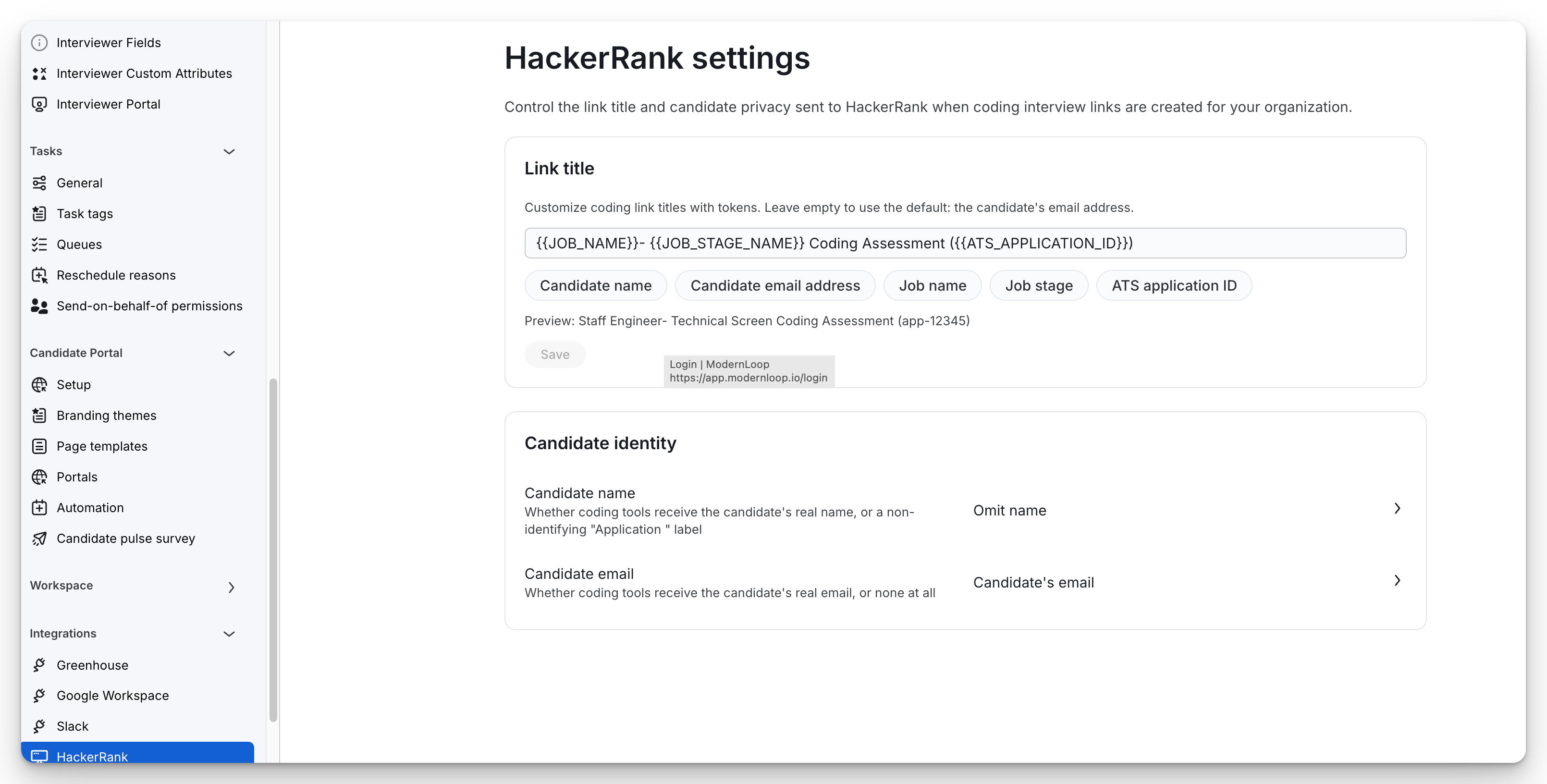
Organization admins can standardize how coding interview links are created across supported coding assessment tools. From Organization Settings > Integrations, each coding tool has its own settings page where you can configure how coding links are named and what candidate information is shared with the vendor.
These settings apply organization-wide and are used for all newly created coding interview links during scheduling.
Supported coding tools
ModernLoop supports collaboration link settings for the following coding platforms:
Coding tool | Link title | Candidate name | Candidate email |
|---|---|---|---|
HackerRank | ✅ | ✅ | ✅ |
CodeSignal | — | ✅ | ✅ |
Codility | ✅ | — | ✅ |
CoderPad | ✅ | — | — |
Note: Each coding tool only displays the settings that its API supports. If a vendor does not support a field, that option will not appear on its settings page.
Configure a link title
For supported coding tools, you can customize the title of the coding interview link that is created during scheduling.
Supported by:
HackerRank
Codility
CoderPad
The link title can include a combination of text and tokens.
Available tokens include:
Candidate name
Candidate email address
Job name
Job stage
ATS application ID
For example:
{{JOB_NAME}} - {{JOB_STAGE_NAME}} Coding Assessment ({{ATS_APPLICATION_ID}})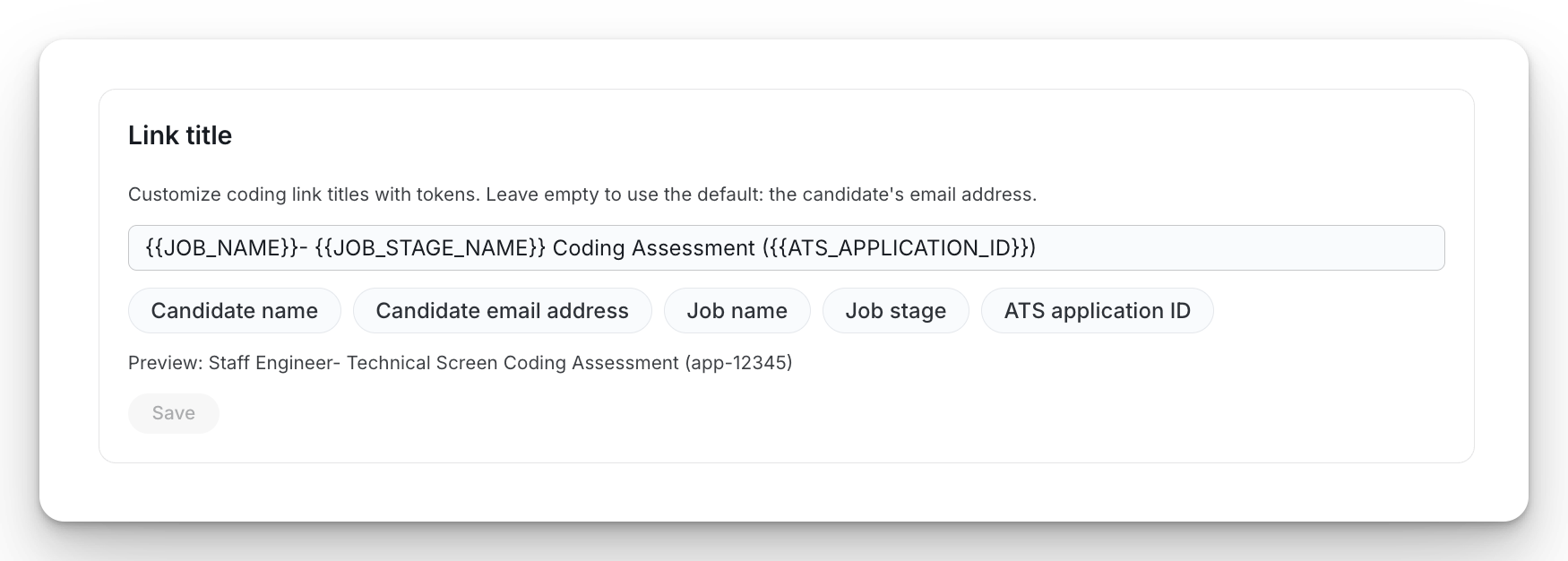
A live preview is displayed below the field so you can see how the title will appear before saving.
Configure candidate identity
Depending on the coding platform, you can control which candidate information is shared when the coding link is created.
Candidate name
Supported by:
HackerRank
CodeSignal
Choose one of the following options:
Candidate's name – Sends the candidate's real name to the coding platform.
ATS Application ID – Sends a non-identifying label such as
Application 12345.Omit name – Does not send the candidate's name.
Candidate email
Supported by:
HackerRank
CodeSignal
Codility
Choose one of the following options:
Candidate's email – Sends the candidate's email address.
Omit email – Does not send the candidate's email address.
How these settings work
Changes apply organization-wide.
Updated settings are used only for newly created coding interview links.
Existing coding links are not modified after they have been created.