Interviewer Work Hours
Last updated: July 30, 2026
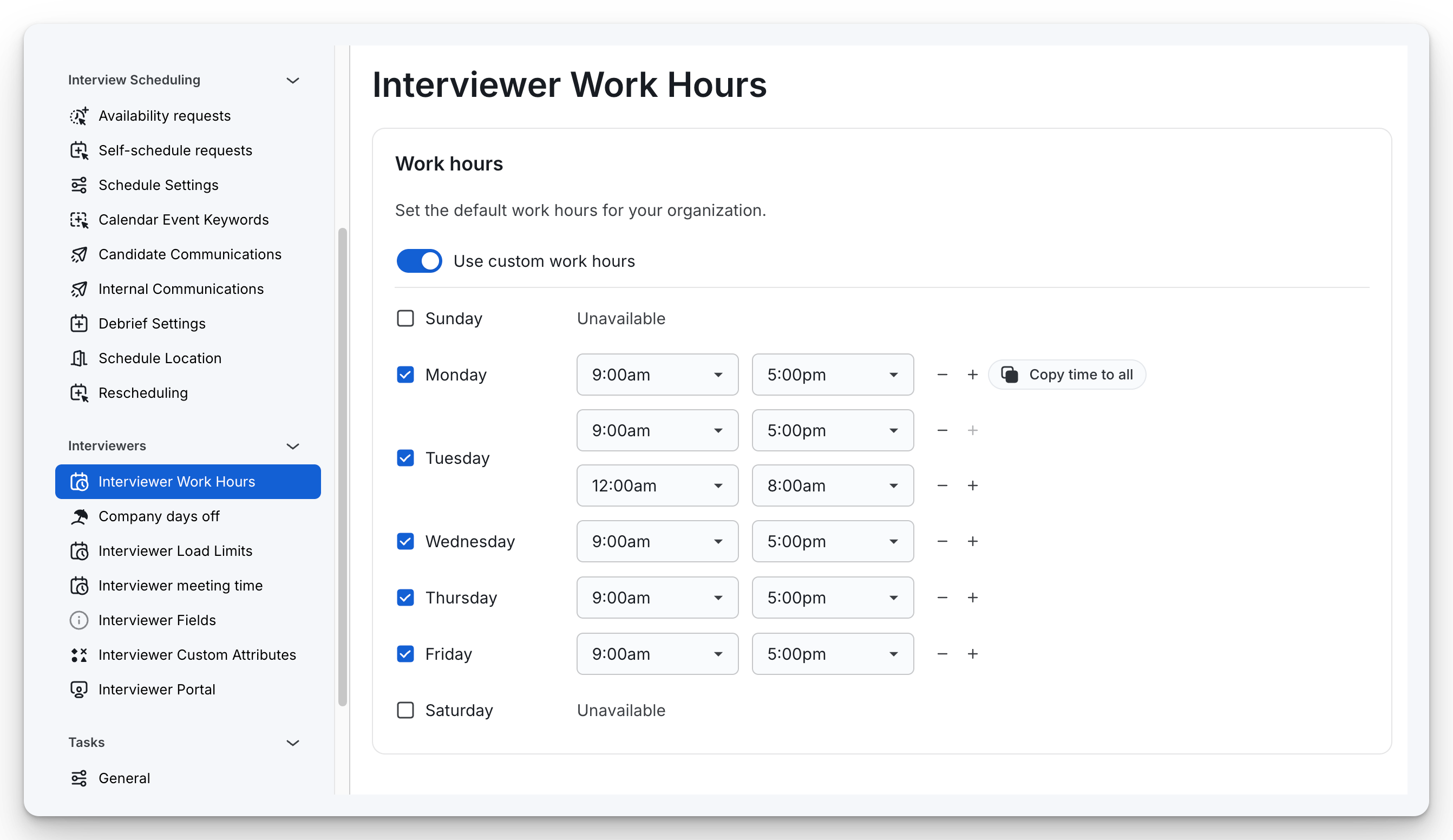
The Work Hours functionality in ModernLoop allows organizations to define default working hours for their team. This setting ensures interview scheduling aligns with team availability, creating efficiency and avoiding conflicts.
Key Features
Custom Work Hours:
Enable the "Use custom work hours" toggle to define specific working hours for each day of the week.
Days like Saturday and Sunday can be marked as "Unavailable" if no work hours are required.
Day-Specific Customization:
Customize hours for individual days to account for team-specific needs or flexibility (e.g., shorter hours on Fridays).
Checkboxes allow enabling or disabling availability for specific days of the week.
Multiple Time Slots Per Day:
Add multiple time slots for a single day to reflect breaks or varying work periods (e.g., 9:00 AM–11:00 AM, 12:00 PM–5:00 PM).
Easily adjust these time blocks using "+" to add new slots or "-" to remove them.
Copy Time Settings:
Use the "Copy time to all" feature to replicate a specific day's work hours across selected days.
A dropdown allows you to specify which days to apply the copied time, ensuring quick configuration for recurring schedules.