Google Workspace - Domain-wide Integration (Legacy)
Last updated: February 6, 2026
ModernLoop's Google Integration simplifies scheduling by coordinating between interview teams and candidates. With this integration, your team can:
Find the perfect interview schedule.
Assign interviewers from users on your workspace.
Analyze interviewer conflicts.
Access and manage calendar resources, such as rooms.
Send emails to candidates.
This article is available for historical purposes for customers who have connected to ModernLoop via Domain-wide Integration. If you are newly connecting ModernLoop to Google Workspace please follow the steps in📄 Google Workspace - Workspace App Install instead.
If you’re an existing ModernLoop customer planning to transition from Google Workspace to Microsoft, please notify your CSM or email support@modernloop.io at least 1 month prior to your target transition date.
Prerequisites
Super Admin Access
A Super Admin is required for the initial setup to add the following domain-wide scopes to your Google Workspace:
https://www.googleapis.com/auth/admin.directory.user.readonly
https://www.googleapis.com/auth/calendar
https://www.googleapis.com/auth/admin.directory.resource.calendarhttps://www.googleapis.com/auth/gmail.send(Optional; Recommended)If
gmail.sendis not enabled at the domain level, each user will need to individually grant the permission via the Gmail Send App.
If your organization restricts users from authenticating with Google apps, you may need to add the ModernLoop Gmail Send App to your Google Workspace's Trusted Apps. For instructions, refer to: For IT Admins: Adding ModernLoop Gmail Send App to Trusted Apps.
Admin User for Directory Sync
An admin user must be connected to ModernLoop to enable proper syncing of your workspace directory.
Minimum Permissions: Create a service user with the
Users: Readprivilege.
Best Practice: Use a service account that will not be deprecated to avoid integration issues.
A Super Admin can also be used for this task if preferred.
ModernLoop Access
Ensure you have Admin access to the ModernLoop platform. If not, ask a recruiting team member to add you to the platform.
Instructions
Log in to ModernLoop using your Google account.
Click Connect Google Workspace.
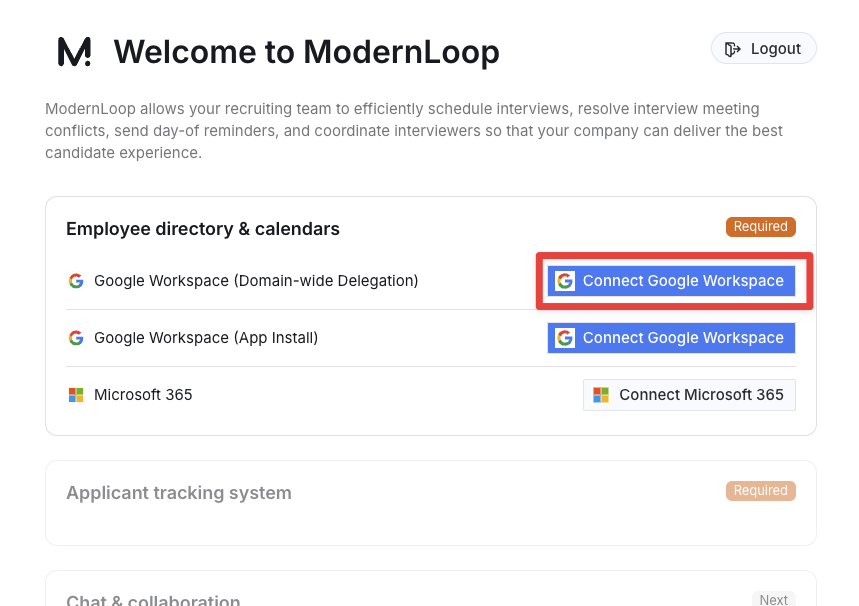
Follow the instructions listed in Step 1-5 (install the ModernLoop Google Domain Wide).
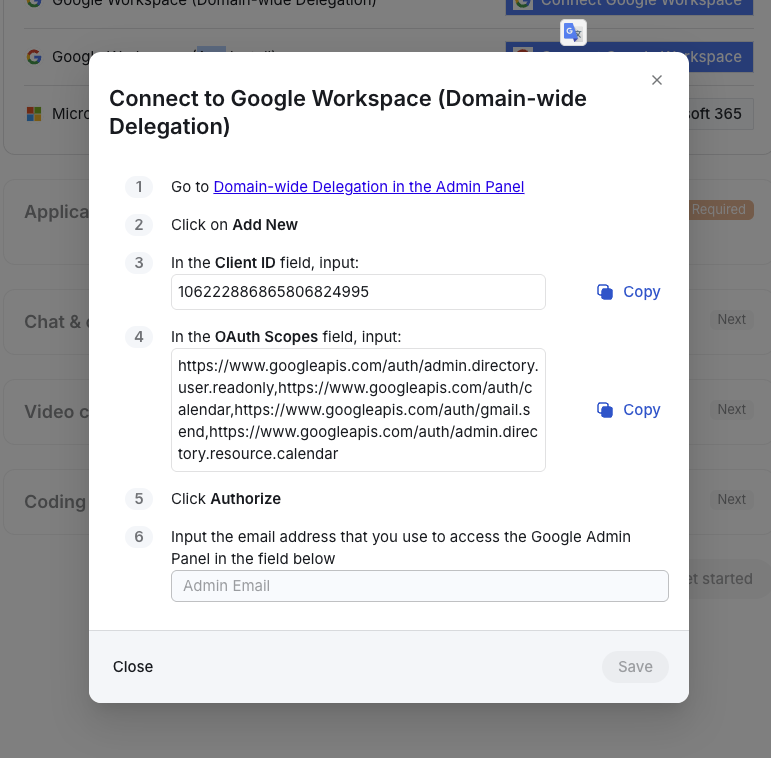
Go to Domain-wide Delegation in the Admin Panel and click Add New
In the Client ID field, input:
106222886865806824995In the OAuth Scopes field, input:
https://www.googleapis.com/auth/admin.directory.user.readonly,https://www.googleapis.com/auth/calendar,https://www.googleapis.com/auth/gmail.send,https://www.googleapis.com/auth/admin.directory.resource.calendarEnsure the correct Admin Email is entered in the Admin Email field.
Click Save to complete the setup.
Allow up to 24 hours for your Google Workspace to fully sync with ModernLoop.