ModernLoop Chrome Extension
Last updated: July 14, 2026
ModernLoop's Chrome Extension integrates seamlessly with your Application Tracking Systems (ATS), enabling users to quickly access candidate profiles in ModernLoop directly from their ATS. This feature streamlines workflows and enhances recruitment efficiency.
How to Add the Chrome Extension
You can download the Chrome Extension from the Chrome Web Store, or install it directly from ModernLoop by following these steps:
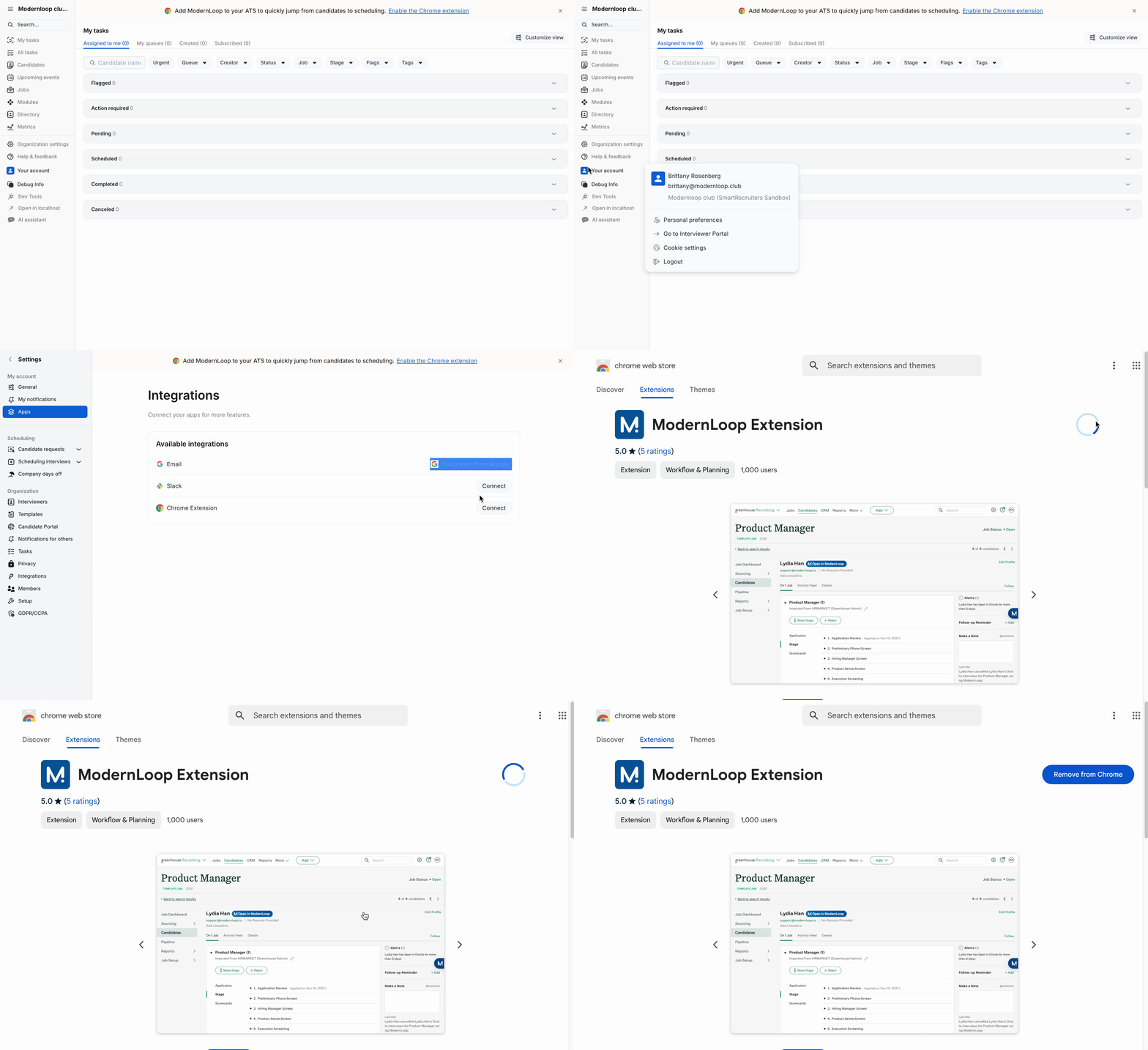
Navigate to ModernLoop.
Select Your account.
Choose Personal Preferences from the dropdown.
Click on the Apps tab.
Select Connect (or Reconnect if you’ve connected it previously) next to Chrome Extension.
Note: While ModernLoop recommends using the Chrome browser, this extension is also available for Microsoft Edge.
Extension Options
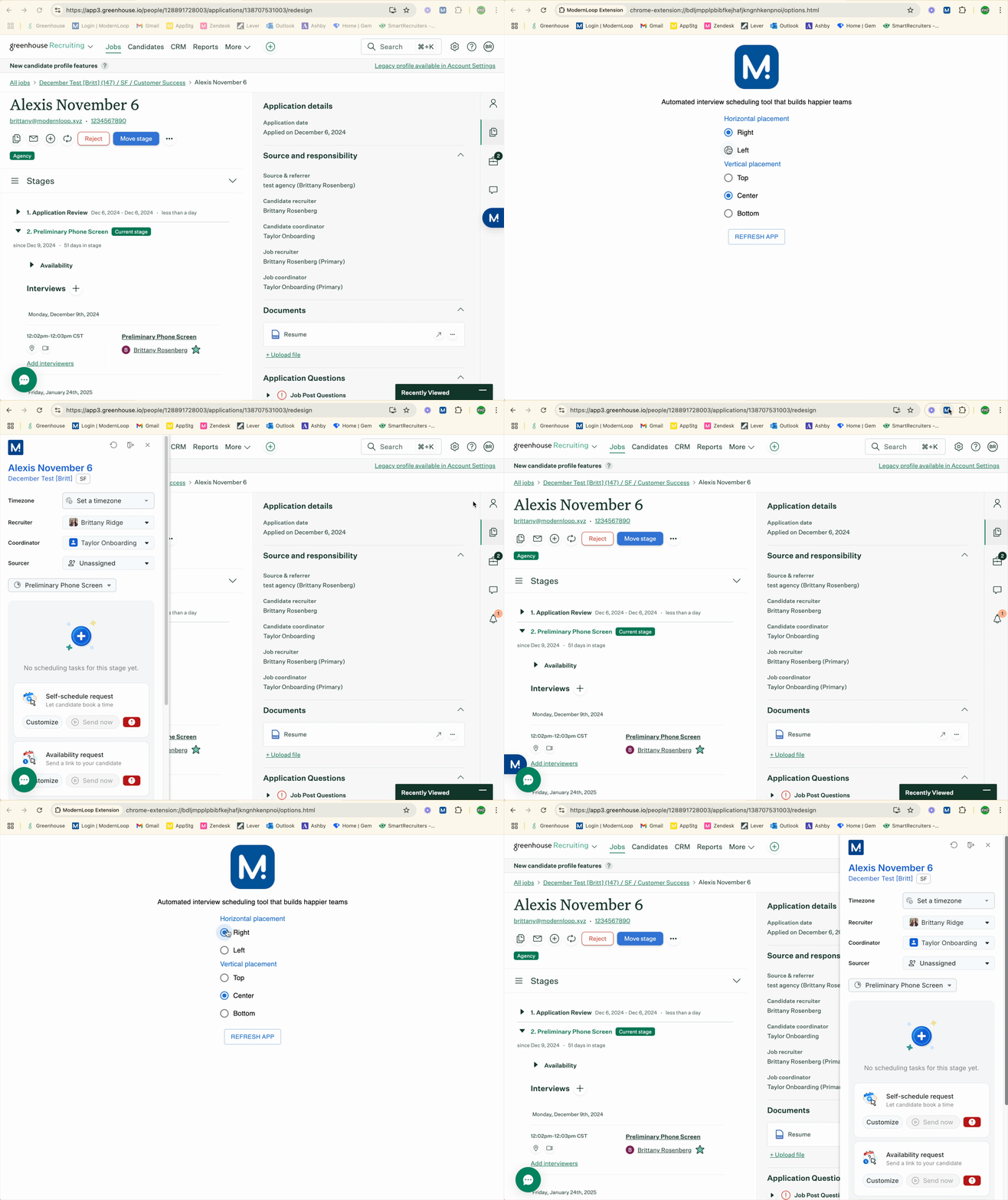
ModernLoop's Chrome Extension allows you to customize the placement of the extension within your ATS interface for optimal usability. The available placement options are:
Horizontal Placement
Right
Left
Vertical Placement
Top
Center
Bottom
Steps to Update Options from the Pinned Extension
Pin the Extension:
Click on the Extensions icon in your Chrome browser (puzzle icon in the toolbar).
Locate the ModernLoop Chrome Extension and select the pin icon.
Right-click the Pinned Extension:
From your pinned extension list, right-click on ModernLoop.
Select Options:
Choose Options from the context menu.
Customize Placement:
Select your desired horizontal and vertical placement from the available options.
Steps to Update Options from Extensions
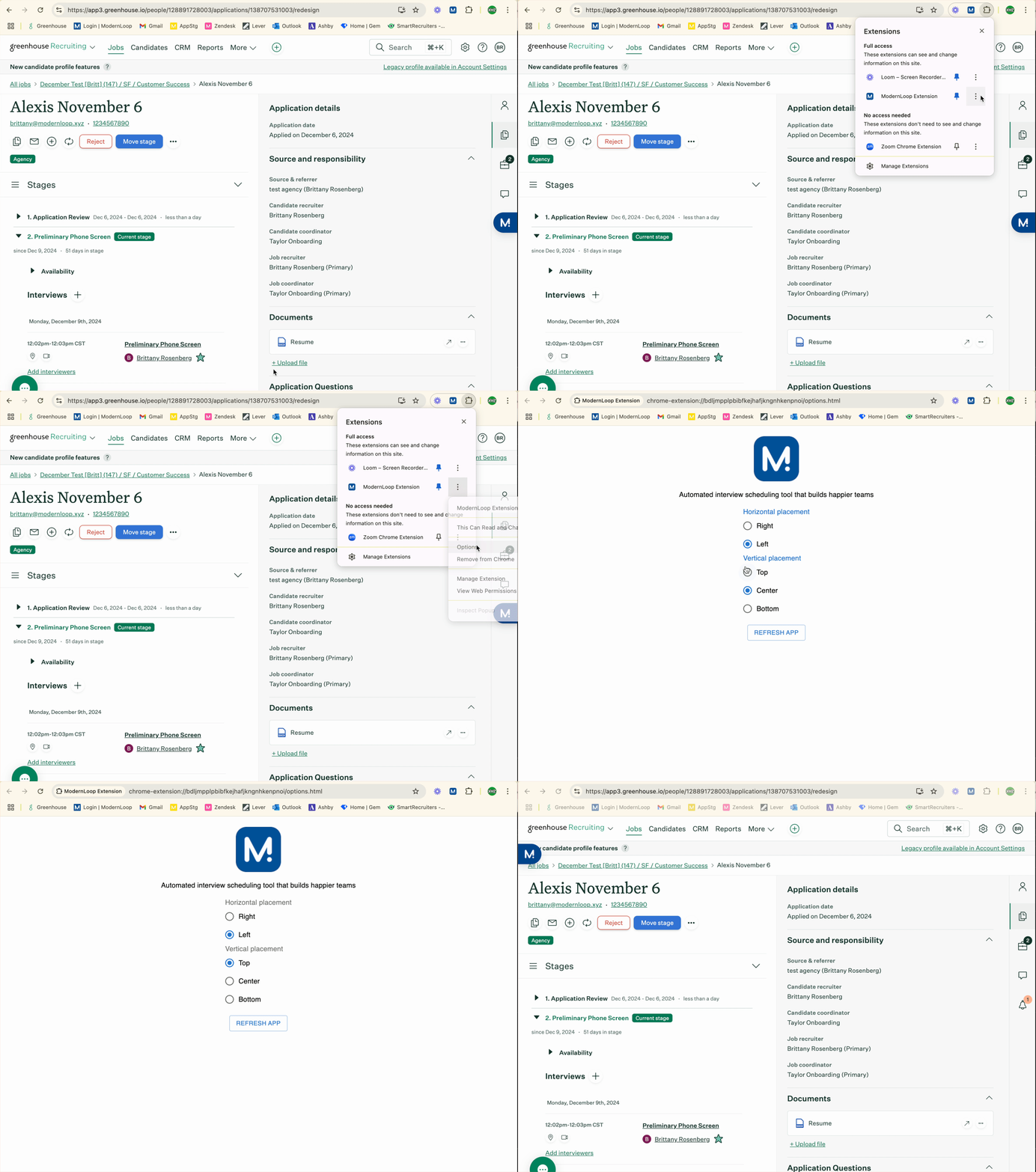
Click the Extensions icon in your Chrome browser.
Locate the ModernLoop Chrome Extension in the list.
Select the ellipsis (...) next to the extension name.
Click Options.
Choose your desired placement for horizontal and vertical positioning.
Double Wide Task View in Chrome Extension [BETA]
Left Pane: Task Details and Requirements
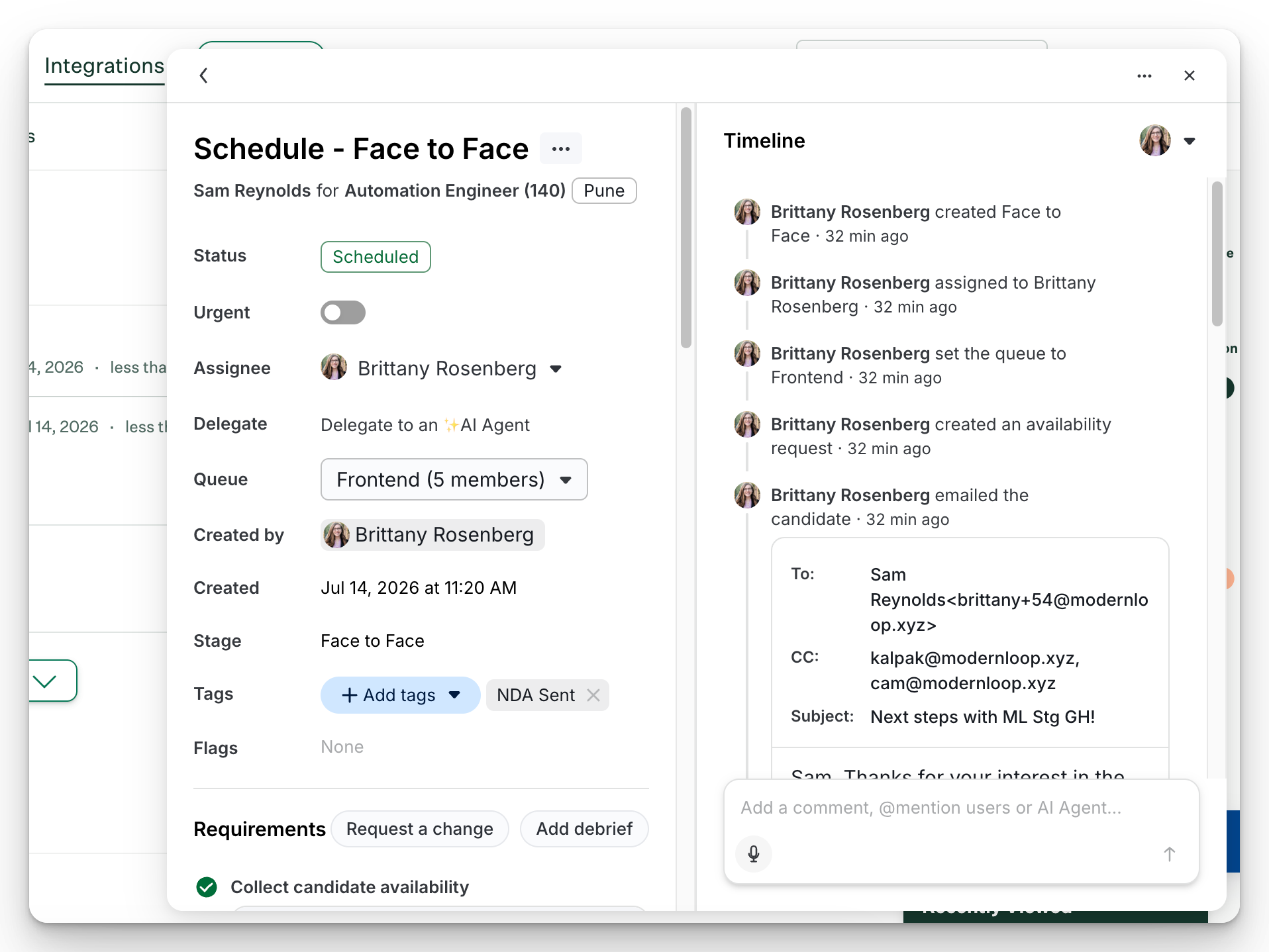
The left side of the task contains the information needed to complete scheduling work, including:
Task status
Assignee
Queue assignment
Tags and flags
Candidate availability requirements
Scheduled interviews
Debrief requirements
Reschedule history and logs
Scheduling actions such as Update, Reschedule, and Cancel
Right Pane: Timeline and Activity
The right side of the task displays the complete activity timeline, including:
Task creation events
Assignment changes
Candidate communications
Availability submissions
Schedule creation and updates
Interviewer RSVP activity
Auto-replacement actions
AI-generated actions and recommendations (coming soon!)
Internal comments and collaboration
Double Wide Task View Actions
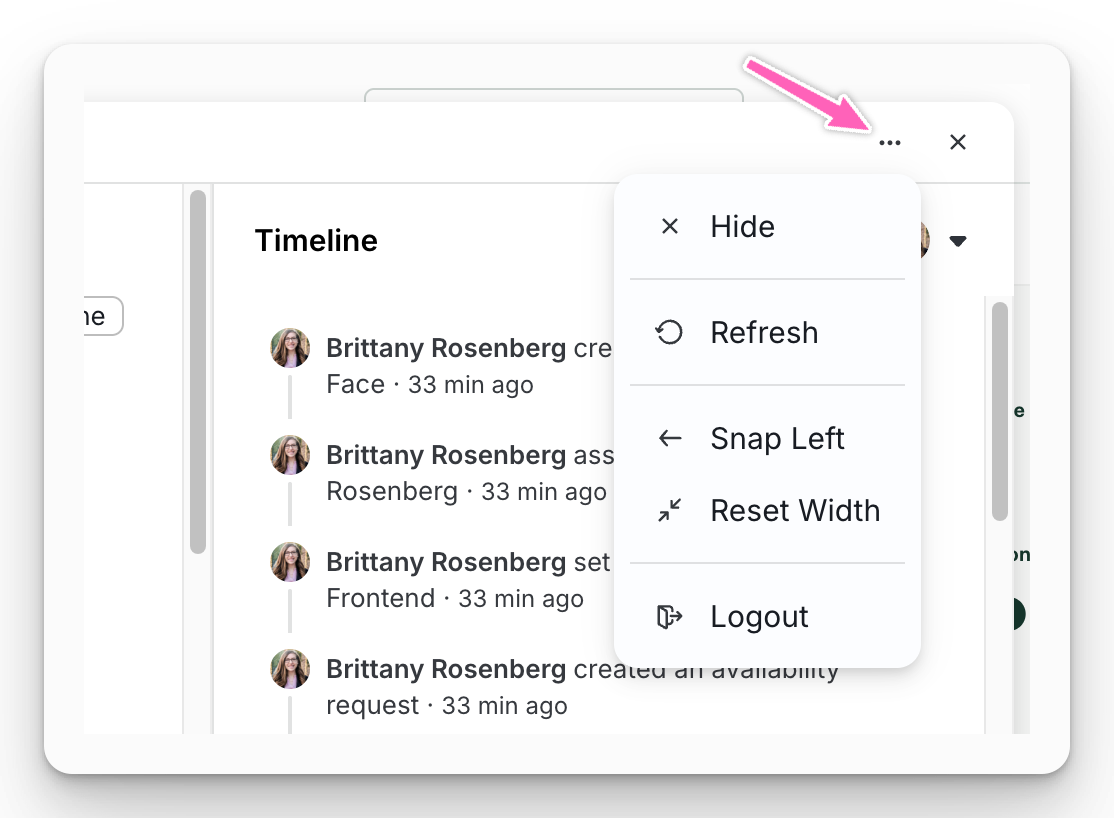
From the ellipsis in the Chrome Extension you can:
Hide- this will close the panel
Refresh- to see the most current information
Snap Left/ Snap Right- move the panel to the other side of your browser window
Reset Width- revert the width to the original size
Logout- logout of ModernLoop