Debrief Metrics
Last updated: August 5, 2026
Debrief reports provides visibility into debrief activity across your organization. Use this report to understand how many debriefs have been scheduled, completed, canceled, or are still upcoming, identify who is scheduling debriefs, and review attendee RSVP responses.
To access the report, navigate to Metrics > Debriefs.
Filter the report
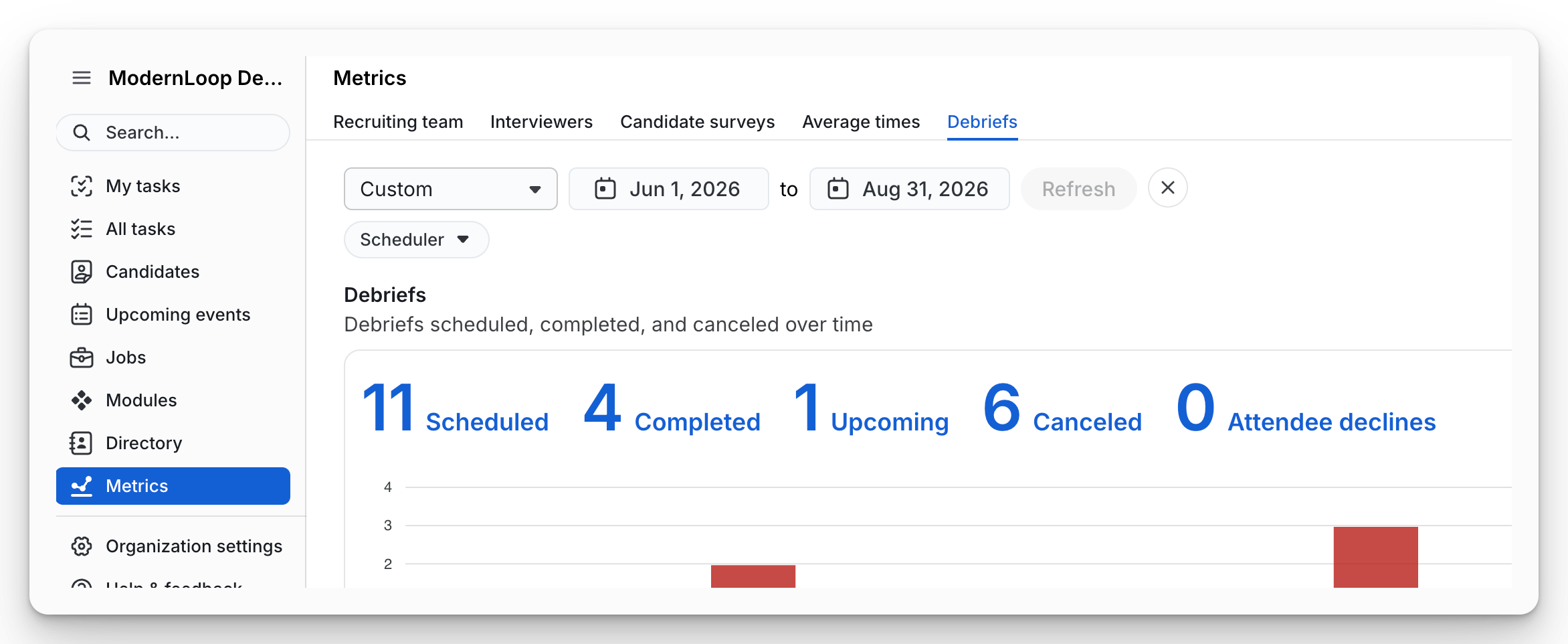
Use the filters at the top of the page to customize the data displayed.
Date range – Select the reporting period.
Scheduler – Filter results by the user who scheduled the debrief.
Note: Debriefs are included based on their scheduled start time within the selected date range.
Completed debriefs have ended and were not canceled.
Upcoming debriefs have not yet ended.
Canceled debriefs were canceled before completion.
Debrief summary
The summary section provides a high-level overview of debrief activity during the selected time period.
It includes the following metrics:
Scheduled – Total number of debriefs created.
Completed – Debriefs that have successfully concluded.
Upcoming – Debriefs that are scheduled but have not yet ended.
Canceled – Debriefs that were canceled.
Attendee declines – Total number of attendees who declined a debrief invitation.
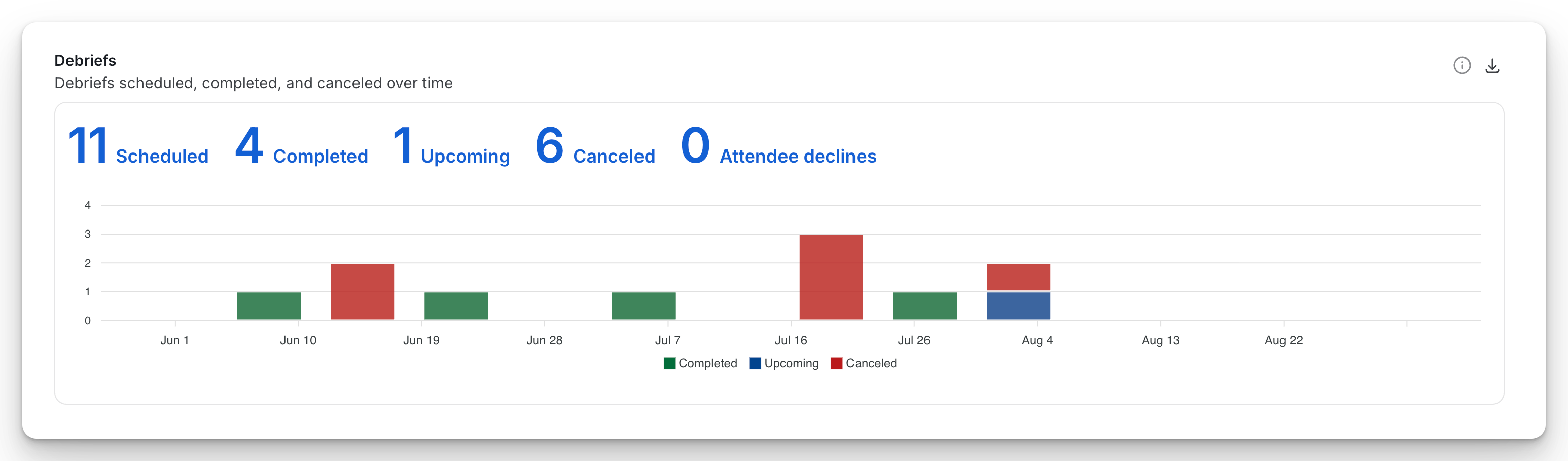
A timeline chart below the summary visualizes completed, upcoming, and canceled debriefs over time.
By scheduler
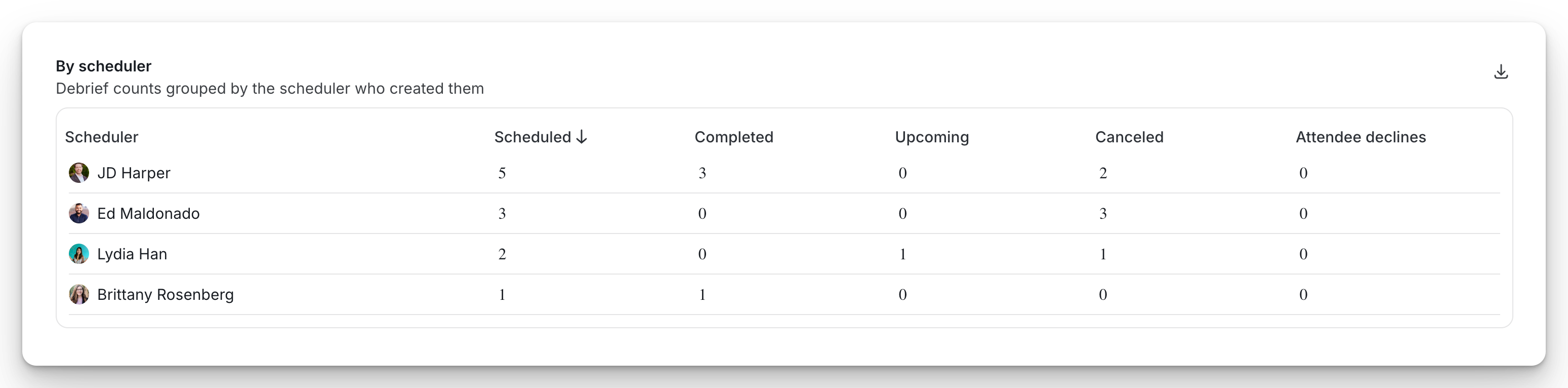
The By scheduler table shows debrief activity grouped by the scheduler who created the debrief.
For each scheduler, the report displays:
Column | Description |
|---|---|
Scheduled | Number of debriefs the scheduler created. |
Completed | Number of completed debriefs they scheduled. |
Upcoming | Number of upcoming debriefs they scheduled. |
Canceled | Number of canceled debriefs they scheduled. |
Attendee declines | Number of attendee declines across the scheduler's debriefs. |
Use this report to understand scheduling activity across your recruiting team and identify trends in debrief completion or cancellations.
Tip: Click any column header to sort the table.
Attendee RSVPs
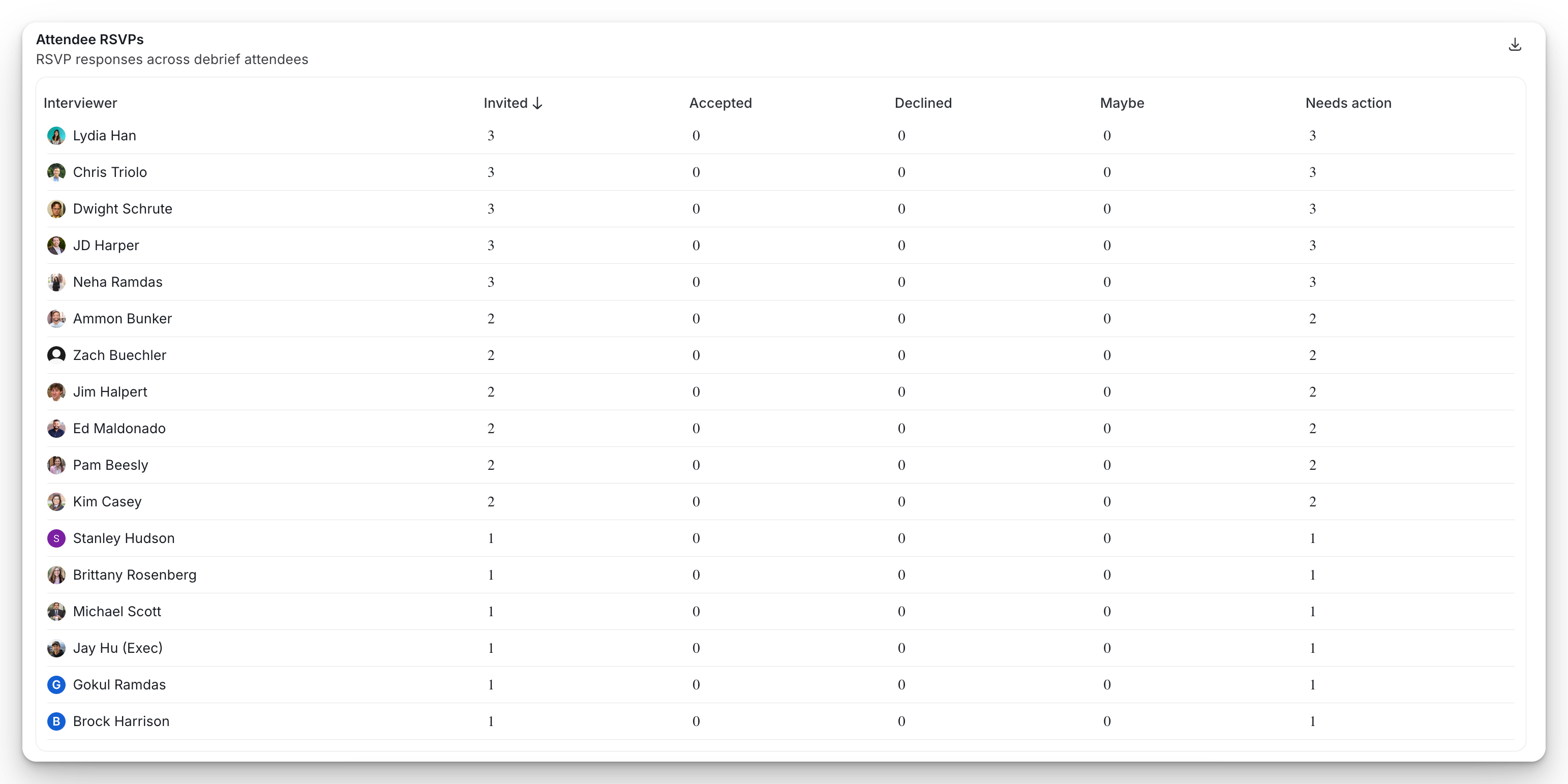
The Attendee RSVPs table summarizes invitation responses for each debrief attendee.
For each attendee, the report includes:
Column | Description |
|---|---|
Invited | Total number of debrief invitations received. |
Accepted | Invitations the attendee accepted. |
Declined | Invitations the attendee declined. |
Maybe | Invitations marked as tentative or maybe. |
Needs action | Invitations that have not yet received a response. |
This report can help identify attendees with outstanding invitations or monitor participation across debriefs.
Export report data
Each section of the Debrief Metrics report includes an Export (download) icon in the upper-right corner.
You can export:
Debrief summary metrics
By scheduler data
Attendee RSVP data
Exports are provided as CSV files for further reporting and analysis.